Hi Paul,
I have gone through all this before and did again about 5 times and no results. Have been trying to fix this for a long time and I'm at a point of leaving Joomshaper all together or having to completely to a fresh install of Joomla 5 and rebuild. I'm getting an Ajax error trying to update to Joomla 4 (not sure who's issue this is). I want to get this fixed before I move on or make a decision on what to do next. I appreciate any help you can provide and need someone to look at my admin and backend
-
- "Go to Templates > Helix Ultimate > Template Options > Menu > Off canvas
Then select one of the layouts. Must be a blue border around it (look at the screenshot below).
Check if you selected the needed Menu inside "Select Off-canvas Menu".
Click SAVE to set new settings. Now it should be fixed.
If it's not yet, change Off-canvas Position (Left-Right or Right-Left), save settings, and then recheck."*
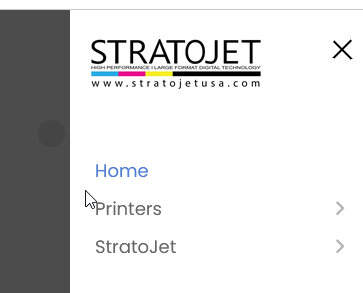
This does nothing. The Burger mobile menu icon is there but nothing changes nor shows up when I click it, just an overlay
- "If you cannot click to open submenu items - probably you used the wrong Menu item type. Please do NOT use those (Separator nor Header) for main menu items (!). We recommend using the "URL" with "#" (hash) mark inside the URL field. Then your Mobile Off canvas Menu will work correctly, and you will be able to see and click (+) to open submenu items."
No menu items show at all, just a total overlay of the whole site (did you look at the URL and click on the Burger menu? please see if you're getting the same result)
Where and I support to add '#'
Main menu item Error
Save failed with the following error: The home menu item must be a component. (cannot use URL)
- ".burger-icon > span {background-color: black; background: black;}
body.ltr.offcanvs-position-right.offcanvas-active .offcanvas-menu {background: white;}
.offcanvas-menu { background-color: white;}
.offcanvas-menu .offcanvas-inner ul.menu > li > a {color: black;}"
Do I add this to before header, body, after body? Do I add the code in the Templet framework GUI or in the "system" files?