A way to send a text message after the request that the request has been made to the phone number, whether on WhatsApp or via SMS
Solved
EasyStore
How to send a text message after ordering
Accepted answer
Marked as the solution
Paul Frankowski Senior Staff
1 year ago
· edited
Sorry for delay.
There is only message (email) that shop can send. But I as I know no WebHooks nor SMS.
In EasyStore > Settings > Email Notification (screenshot) - enable those options
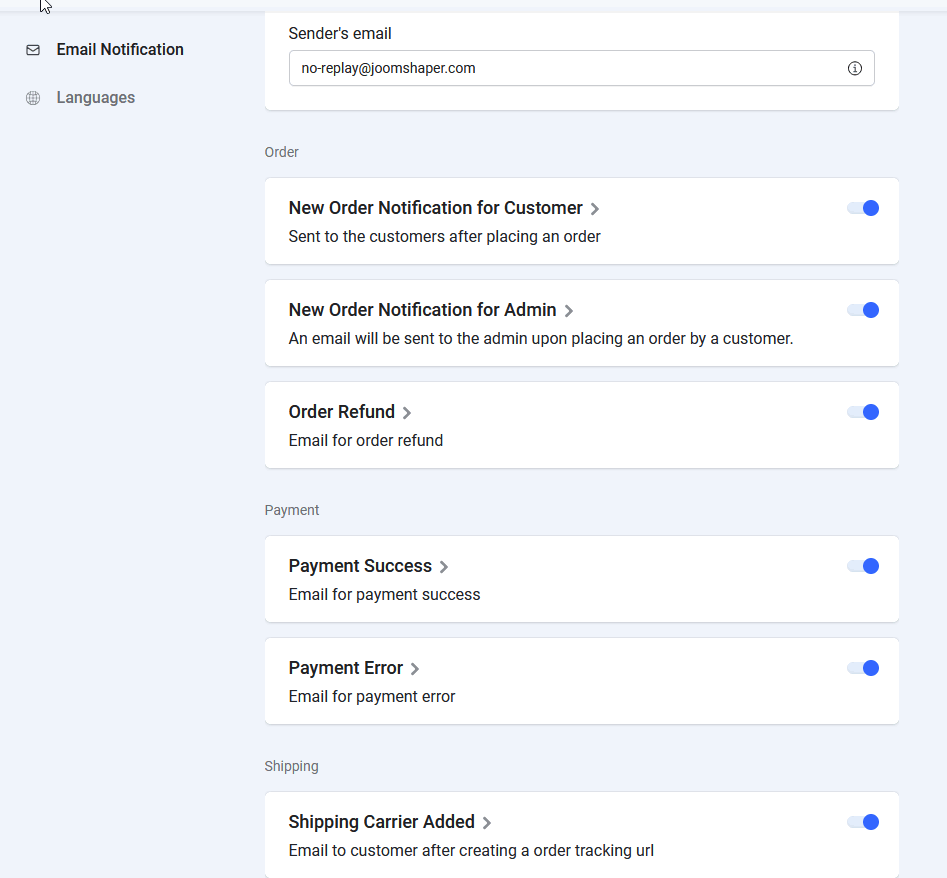
And yes, each message can be edited, just click on the name "New Order Notification for Customer" etc.
3 more replies
Paul Frankowski Senior Staff
HI,
We don't have integreation with WhatsApp nor SMS yet.
For sure the 2nd options is always EXTRA paid service, at least in EU countries.
saak Asked this
1 year ago
· edited
There is no way I can send messages after confirming the order. Also, does the Easy Store add-on support webhooks or not?
saak Asked this
Hey friend are you here?
Log in to reply.