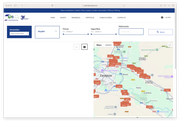
Hi, I'm having a problem with SP Property. If I enable Google Maps, the properties don't load alongside the map:
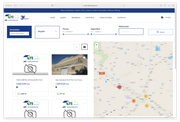
However, with Open Street Maps, everything is fine, but the mobile version is more inconvenient:
Any help?
Hi, I'm having a problem with SP Property. If I enable Google Maps, the properties don't load alongside the map:
However, with Open Street Maps, everything is fine, but the mobile version is more inconvenient:
Any help?
Please use this CSS to
Template Options -> Custom Code -> Custom CSS
#sp-footer-movil{
    position: absolute !important;
}Hello Angel,
Thank you for reaching out to our technical support forum. I’m sorry to hear about the trouble you’re experiencing. Rest assured, I will look into this issue for you and work to resolve it as quickly as possible.
If you could kindly provide any additional information regarding the issue, it would greatly help me investigate and address it more efficiently. Please enable Google Maps and share the page link. I will check it.
Best regards
Hi Ofi,
Thank you very much for your response.
I've attached some of the URLs where we show the search engine:
https://gtij4.gtizaragoza.es/alquiler-naves-industriales-zaragoza
https://gtij4.gtizaragoza.es/venta-naves-industriales-zaragoza
https://gtij4.gtizaragoza.es/venta-locales-comerciales-zaragoza
But they all actually call the same module. I'll share the administrator credentials with you privately. I just made a full backup of the site in case there are any problems.
Thanks.
You are welcome 😊
I have modified this file:
components/com_spproperty/assets/js/spmap.js
and added this line of code:
<script src="https://developers.google.com/maps/documentation/javascript/examples/markerclusterer/markerclusterer.js"></script>on Template Options -> Custom Code -> Before Head settings.
https://prnt.sc/rYHS8I6epQef
Hi Ofi, thank you very much. Everything looks perfect with these changes.
One more thing: in the mobile version, the footer moves with the map. Is there an option to disable the footer on mobile devices?
Thanks again.
You are welcome 😊
Are you asking about this section?
https://prnt.sc/tLUHg9kRG8Vh
You can use this CSS to hide it on mobile and tablet devices.
@media (max-width: 767px) {
    #sp-footer-movil {
        display: none !important;
    }
}No, because of the website's footer. It has a black background, with the logo and various internal links that I'm supposed to see in the mobile version...
Well, unless the tab you're referring to is the one causing the problem that makes the map unusable, it seems to float.
If you test the page from a mobile device, you'll see that when you move the map, the black footer appears on top.
Perfect, thank you very much.
You are welcome 😊
I have a humble request. It would be very kind of you if you can manage some moment to give us feedback on
This will inspire us to improve.
Ok
Thank you so much for your appreciation
Hello again Ofi, I just realized that the company logo is now very small.
I have increased the Logo Height. Please check it now.
https://prnt.sc/xcSQCoJPp4Qf
Thanks!
You are welcome 😊
