Offcanvas burger item and menu icon position - Forum | JoomShaper
Solved Helix Framework

Offcanvas burger item and menu icon position

Asked by Oliver 1 year ago Last activity 1 year ago

Hello,

I try to adjust the Offcanvas Menu.
After entering System -> Site Template Styles -> <template>- Default -> Template Options -> Menu -> Mega Menu and changed "Menu Type" to "Mega Menu" (which makes the Burgermenu Item disappear), saving it and switching it back to Offcnavas, it looks like this (before switching, it looked allright)
https://prnt.sc/bYJ6FR8yocD9

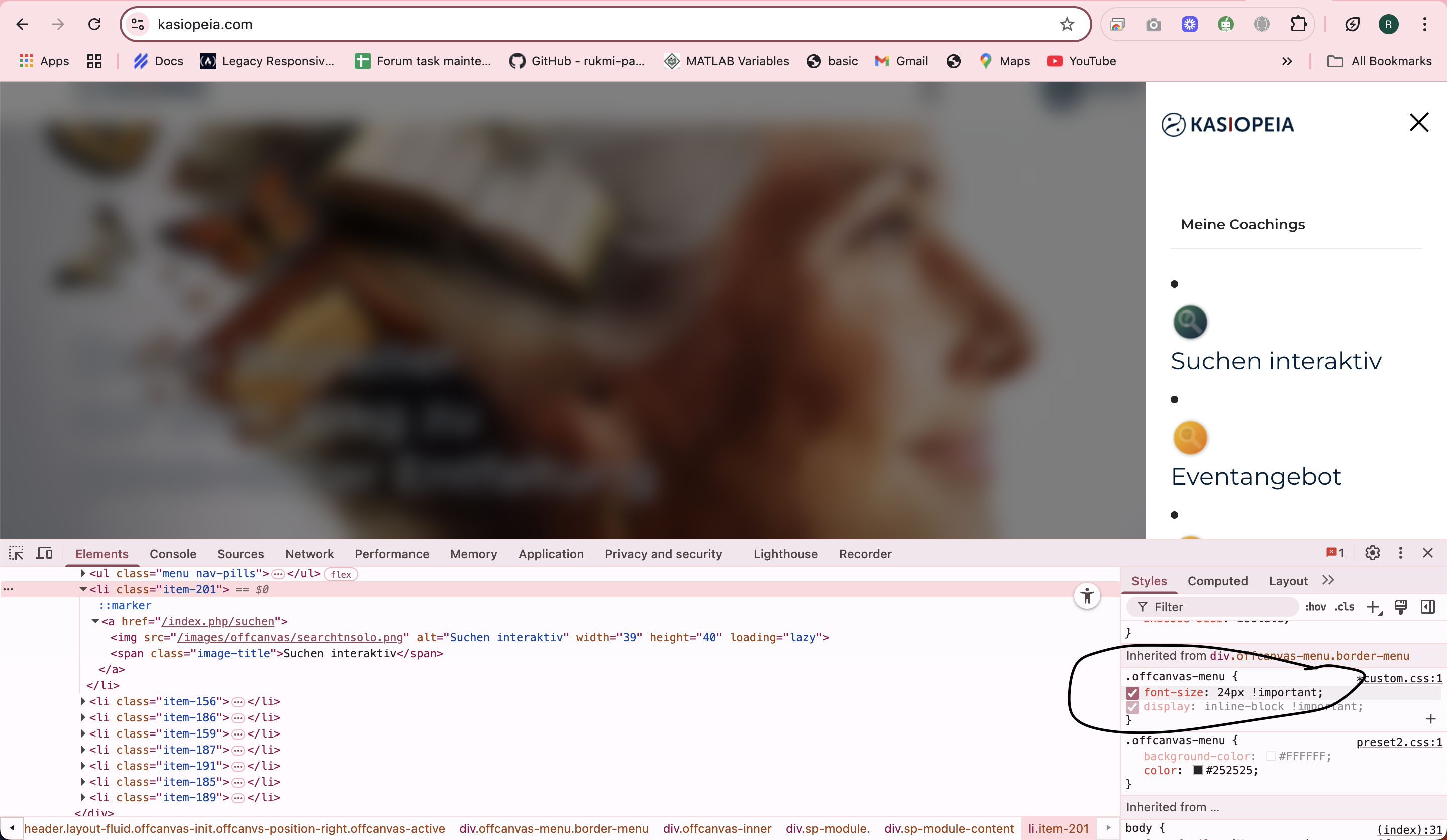
And the menu item icons are displayed like this
https://prnt.sc/gcTHcl5tHmTv

I tried to fix it with this

.offcanvas-menu {
   /*background-color: #002039;
   background: #002039;*/
   font-size: 24px !important;
   display: inline-block !important;
}

Please help

Accepted answer

Marked as the solution
Rashida Rahman Staff

Hello,

Please use the following code in your custom CSS:

body.ltr #offcanvas-toggler.offcanvas-toggler-right {
    order: 1;
        }

Hope this helps!

Best regards,

7 more replies

Mehtaz Afsana Borsha Staff

Hi

Thanks for contacting us and sorry for your issue. Are you able to fix it? Because it seems ok from my end.

-Regards.

Rashida Rahman Staff

Hi there!

Thanks for reaching out.

It seems your font size is working for your offcanvas menu items.
Screenshot 2025-07-28 at 7.43.42 PM.png

Please use the following code in your custom.css file to remove bullet points on the left sides of the menu items and icon/images in the same line:

.offcanvas-inner .sp-module li {    list-style: none;}
.offcanvas-inner .sp-module li img {    display:inline-block;}

Hope this helps!

Best regards,

Oliver Asked this

Thank you for your quick response.
No, I was not able to fix it.
The behaviour is Desktopn PC, not mobile phone.

And the icons should be in line ...

Oliver Asked this

Very good - the icons now look great.
Thank you :-)

Rashida Rahman Staff

Hi Oliver,

Glad that icons are good now. Please let me know if there is anything left. Or you may mark the most useful answer in order to close the post.

Have a nice day!

Oliver Asked this

Yes, the position of the Burgermenu item is still in a strange place, I'm afraid.
I tried to find it, but failed.

Rashida Rahman Staff

Thanks for letting me know.

Where do you want it to be, please? On left? It seems you have set it to be on right.

Oliver Asked this

Perfect!
Thank you very much.

Rashida Rahman Staff

You are always welcome:)

Have a nice day!

Log in to reply.