
How to change background of secondary menu in artolio, unable to do it from template settings.
Solved
Templates
Changing background of secondary menu in artolio
Asked by nagesh
7 months ago
Last activity 7 months ago
Accepted answer
Marked as the solution
Paul Frankowski Senior Staff
7 months ago
· edited
To change bg color for submenu, for example, you can use Custom CSS:
.sp-megamenu-parent .sp-dropdown .sp-dropdown-inner
{background-color: yellow;}
To get that yellow appearance
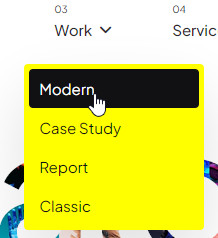
Now your turn, just choose color and use Custom CSS :)
5 more replies

Rashida Rahman Staff
Hi there!
Thanks for reaching out.
Would you please let us know what do you mean by secondary menu here? A screenshot and access to visit your site would be great to have.
Best regards,
nagesh Asked this
The submenu under Services/IOT Solutions/ is white background how do i change it is difficult to attach images here.
Paul Frankowski Senior Staff
7 months ago
· edited
You can always share link to image (jpg) (screenshot), it's easy for all webmasters.
Do we tak about fist submenu level or deeper level?
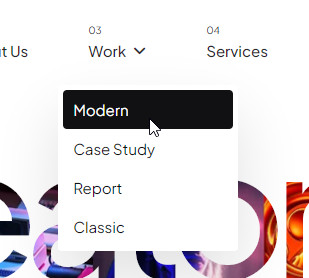
nagesh Asked this
I have sent pictures seperately via email. along with credentials
Paul Frankowski Senior Staff
7 months ago
· edited
Why you couldn't just share link to image here? And use "Hidden Content" to share access.
MMS ;p
Log in to reply.