Changing Background Of Secondary Menu In Artolio

nagesh
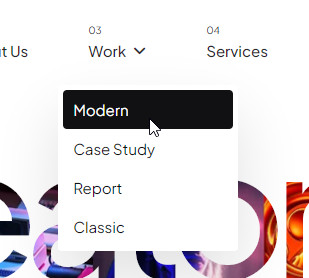
How to change background of secondary menu in artolio, unable to do it from template settings.
Website
https://www.mat-ensemble.com
6 Answers
Order by
Oldest

Paul Frankowski
Accepted AnswerTo change bg color for submenu, for example, you can use Custom CSS:
.sp-megamenu-parent .sp-dropdown .sp-dropdown-inner
{background-color: yellow;}
To get that yellow appearance
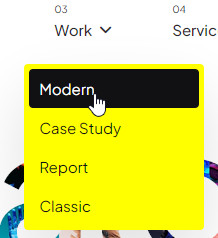
Now your turn, just choose color and use Custom CSS :)

Rashida Rahman
Accepted AnswerHi there!
Thanks for reaching out.
Would you please let us know what do you mean by secondary menu here? A screenshot and access to visit your site would be great to have.
Best regards,
nagesh
Accepted AnswerThe submenu under Services/IOT Solutions/ is white background how do i change it is difficult to attach images here.
Paul Frankowski
Accepted AnswerYou can always share link to image (jpg) (screenshot), it's easy for all webmasters.
Do we tak about fist submenu level or deeper level?