How do you edit the header on Ensure Template, for instance removing the phone number?
Solved
Templates
Ensure header
Accepted answer
Marked as the solution
Ofi Khan Staff
Hello Mark
Please use this CSS to Template Options -> Custom Code -> Custom CSS
#sp-logo .contact-info{
  display: none;
}
Best regards
3 more replies
Mark Asked this
5 years ago
· edited
There is also Get a Quote to the right. Can you explain how to remove it and explain the area where people have to edit the phone number and the Get a Quote?
Mark Asked this
Any support?
Ofi Khan Staff
You do not need to use the Custom CSS. I have found a better way. Go to Extensions -> Modules and unpublish 1-800-541-7858 and Get a Quote Module.
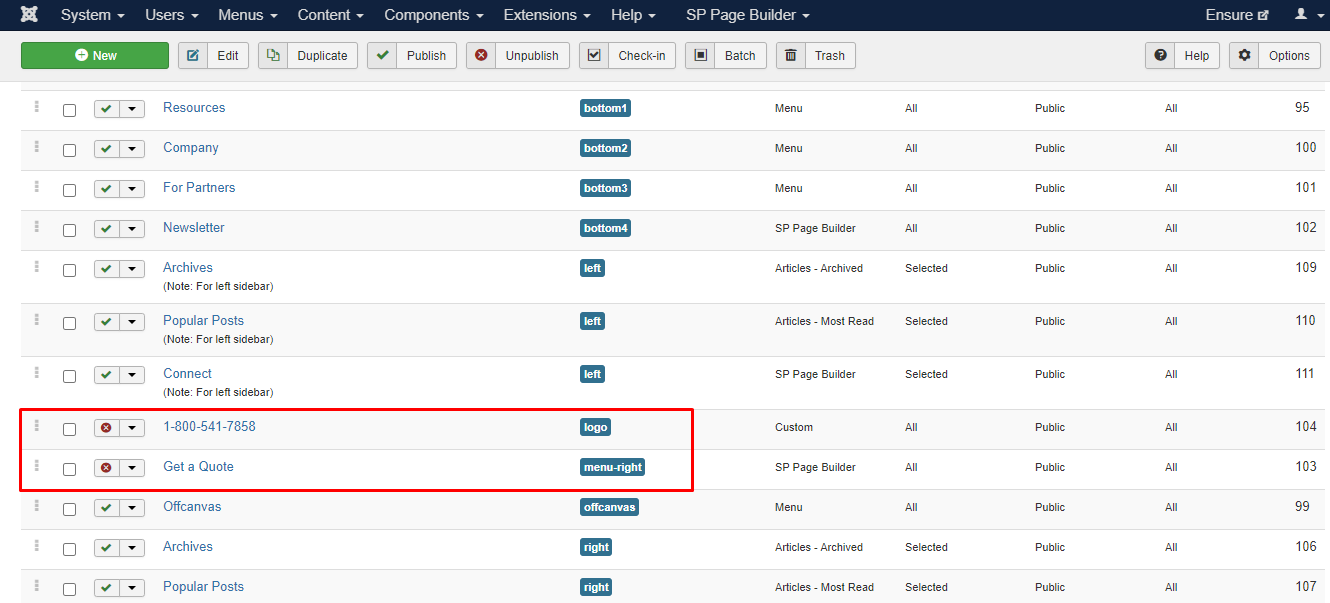
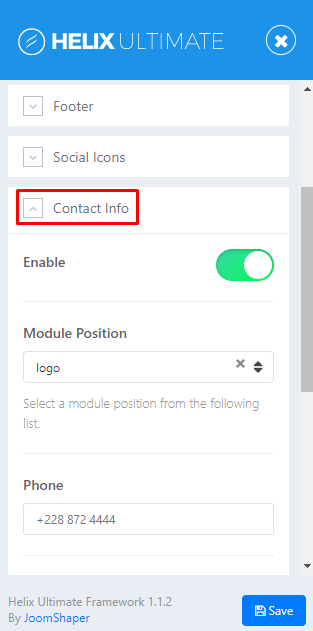
To edit the phone number, go to Template Options -> Basic -> Contact Info and edit there. If you want to edit the number beside the logo, then you have to edit the module 1-800-541-7858.
Log in to reply.