Missing the JCE Backend System Editor - Forum | JoomShaper
Solved SP Page Builder

Missing the JCE Backend System Editor

Asked by Philippe Naef 1 month ago Last activity 1 month ago

Hello

I've recently noticed that the JCE Editor is missing from the Backend System Editor. I've installed the latest version and have a Pro license for it.

I have Joomla 6.1.3 and SP Pagebuilder 6.8.0 installed.

Can anyone tell me what went wrong?

Thanks and best regards,
Philippe

Accepted answer

Marked as the solution
Paul Frankowski Senior Staff

You're welcome.
Please only click "Accept answer" link.

8 more replies

Paul Frankowski Senior Staff
1 month ago · edited

Hi Philippe,

JCE is visible and can be used, but first you have to:

  1. Choose JCE as main editor in System > Global Configuration > Default Editor > JCE > Save & Close
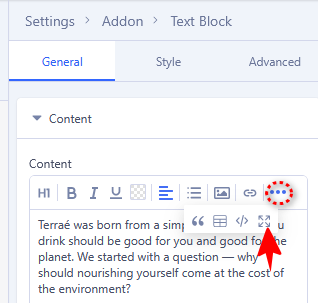
  2. In Text addon on toolbar click "..." icon then click "System Editor" [<>]

jce1.png

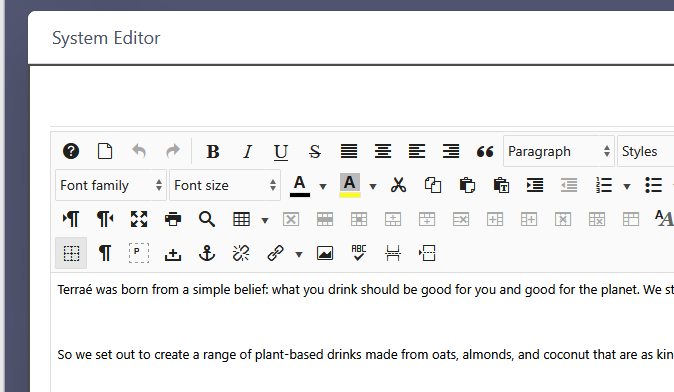
and you will see JCE toolbar, as here. I use JCE in SPPB very often (screenshot from my private site)

jce2.png


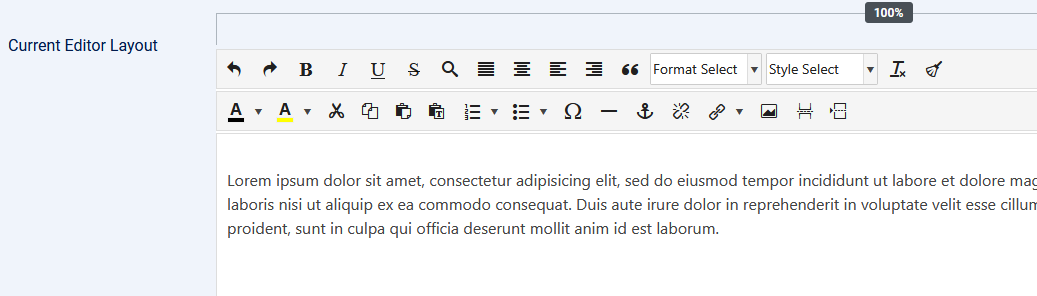
I also recommend to reduce number of icons from JCE toolbar (in JCE Profiles > Features & Layout), there are too many of them, and most editors will not use them all.

jce3.png

Paul Frankowski Senior Staff
1 month ago · edited

Are you bikepacker? I saw your profile photo, cool. Adventure guy. A few years ago, I wrote small text guide "Weekend bikepacking" published here in Poland etc. But I am pretty sure that you have more expirence, for bigger book.

Philippe Naef Asked this

Hi Paul

I’ve already switched back and forth between the ICE and TinyMCE editors several times, but nothing has improved. It makes no difference whether I use Chrome or Firefox; I experience the same issue on my Android phone as well.

I still can not see the JCE Toolbar

Philippe

Paul Frankowski Senior Staff

If you can share access to admin area I can check.
It works on all my sites without any issues.

Philippe Naef Asked this
1 month ago · edited
Paul Frankowski Senior Staff
1 month ago · edited

Hi,
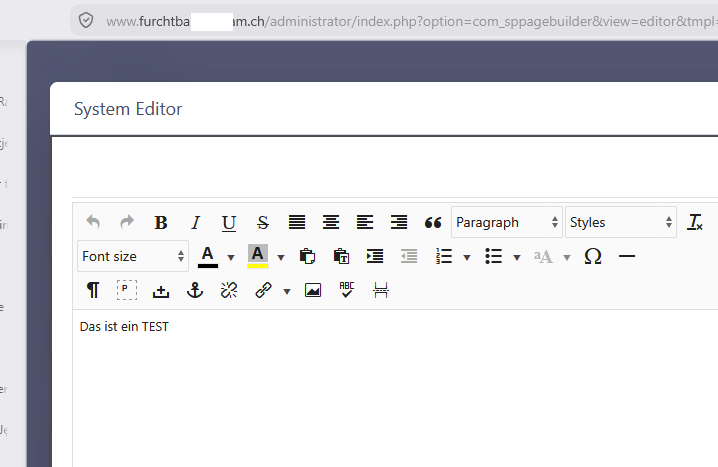
I checked and you have JCE, when I logged I saw JCE toolbar

jce0.png

please check again my point (2)

Paul Frankowski Senior Staff

I used Firefox. Can you try with "New Private Window" Ctrl+Shirt+P.

Philippe Naef Asked this

Hi Paul

Everything is back in perfect order. I can work on my website again.

Many thanks again, and have a nice day.
Philippe

Log in to reply.