Missing The JCE Backend System Editor - Question | JoomShaper

is live, now with multi-currency selling.

Missing The JCE Backend System Editor

Philippe Naef

Philippe Naef

SP Page Builder 2 weeks ago

Hello

I've recently noticed that the JCE Editor is missing from the Backend System Editor. I've installed the latest version and have a Pro license for it.

I have Joomla 6.1.3 and SP Pagebuilder 6.8.0 installed.

Can anyone tell me what went wrong?

Thanks and best regards, Philippe

0
10 Answers
Paul Frankowski
Paul Frankowski
Accepted Answer
Senior Staff 2 weeks ago #233194

Hi Philippe,

JCE is visible and can be used, but first you have to:

  1. Choose JCE as main editor in System > Global Configuration > Default Editor > JCE > Save & Close
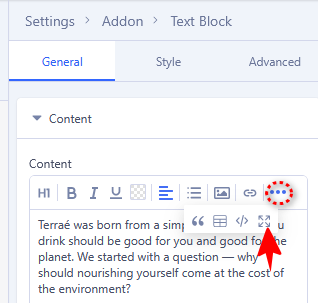
  2. In Text addon on toolbar click "..." icon then click "System Editor" [<>]

jce1.png

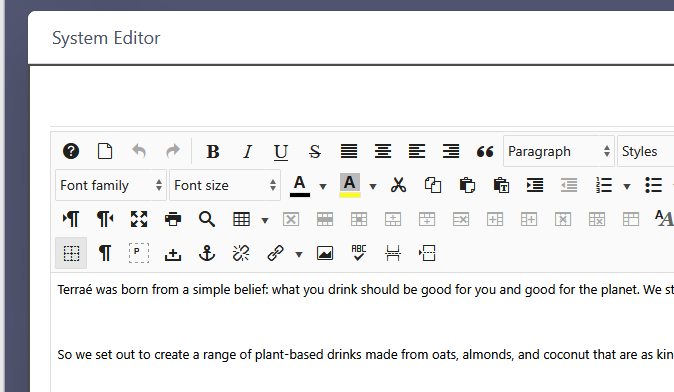
and you will see JCE toolbar, as here. I use JCE in SPPB very often (screenshot from my private site)

jce2.png


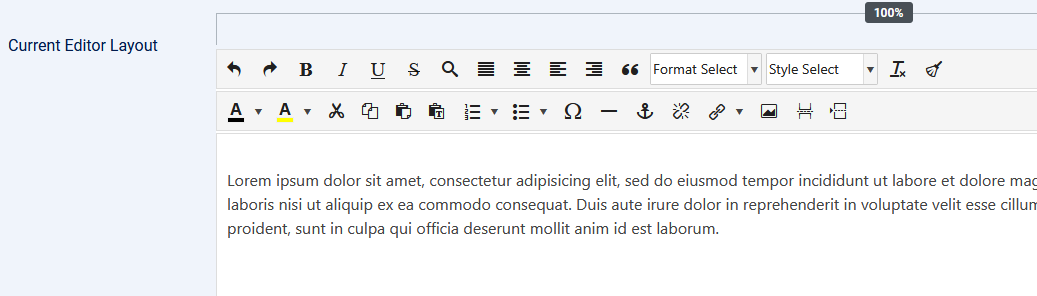
I also recommend to reduce number of icons from JCE toolbar (in JCE Profiles > Features & Layout), there are too many of them, and most editors will not use them all.

jce3.png

0
Paul Frankowski
Paul Frankowski
Accepted Answer
Senior Staff 2 weeks ago #233195

Are you bikepacker? I saw your profile photo, cool. Adventure guy. A few years ago, I wrote small text guide "Weekend bikepacking" published here in Poland etc. But I am pretty sure that you have more expirence, for bigger book.

0
Philippe Naef
Philippe Naef
Accepted Answer
2 weeks ago #233196

Hi Paul

I’ve already switched back and forth between the ICE and TinyMCE editors several times, but nothing has improved. It makes no difference whether I use Chrome or Firefox; I experience the same issue on my Android phone as well.

I still can not see the JCE Toolbar

Philippe

0
Paul Frankowski
Paul Frankowski
Accepted Answer
Senior Staff 2 weeks ago #233197

If you can share access to admin area I can check. It works on all my sites without any issues.

0
Philippe Naef
Philippe Naef
Accepted Answer
2 weeks ago #233198
0
Paul Frankowski
Paul Frankowski
Accepted Answer
Senior Staff 2 weeks ago #233199

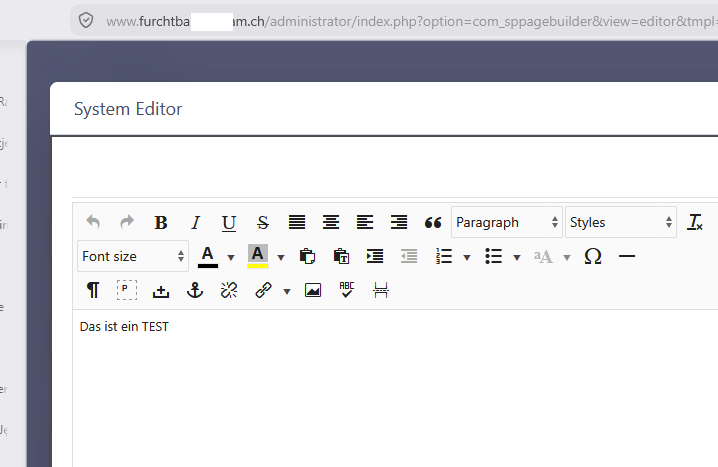
Hi, I checked and you have JCE, when I logged I saw JCE toolbar

jce0.png

please check again my point (2)

0
Paul Frankowski
Paul Frankowski
Accepted Answer
Senior Staff 2 weeks ago #233202

I used Firefox. Can you try with "New Private Window" Ctrl+Shirt+P.

0
Philippe Naef
Philippe Naef
Accepted Answer
2 weeks ago #233203

Hi Paul

Everything is back in perfect order. I can work on my website again.

Many thanks again, and have a nice day. Philippe

0
Paul Frankowski
Paul Frankowski
Accepted Answer
Senior Staff 2 weeks ago #233204

You're welcome. Please only click "Accept answer" link.

0