2 languages custom.css - Forum | JoomShaper
Staff replied Helix Framework

2 languages custom.css

Asked by Martin Seidl 5 years ago Last activity 5 years ago

Hi Guys,
after you helix update I have 2 issues:

  1. the styles in the dropdown main menu have changed: https://mero.arkiadesign.de/
    (cant make screenshot of this for it is hover effect) the titles have margin-left, they are not in line with menut items any more.
  2. so far i edited the custom.css in the template options, but there I cant edit any more. do you want me to work on custom.css in the template details? but there I have only one custom.css, but so far I had to have 2 templates, for EN and DE languages.....I am confused how to work on the styles now.


14 replies

Toufiq Senior Staff

Hi there,

Thanks for contacting us. Sorry for the inconvenience. Will you please provide me the Joomla administrator access to check the issue? I will check & get back to you soon.

-Thanks

Martin Seidl Asked this

Hi Toufiq,
see below but what is your answer for point 2?

Toufiq Senior Staff

Please check now your custom css and menu. Thanks

Toufiq Senior Staff

Please check now. Thanks

Pavel
5 years ago · edited

but there I have only one custom.css, but so far I had to have 2 templates, for EN and DE languages

Hi. You can add a page class in the menu item settings or classes for sections in the Layout Builder. And use these classes as parental to create an isolated code.

For greater convenience, you can use custom.css as a master file. Put in the same folder any css files for example custom-en.css, custom-de.css and import them to custom.css.
Thus, in custom.css, you will have only this code.

@import "custom-en.css";
@import "custom-de.css";

All the rest code transfer to the appropriate files.

If you are using HU 2 there now, it is possible to create a custom folder and place any number of files there. But it is not very convenient. I prefer the method described above.

Martin Seidl Asked this

sorry Toufiq, but still there are errors:

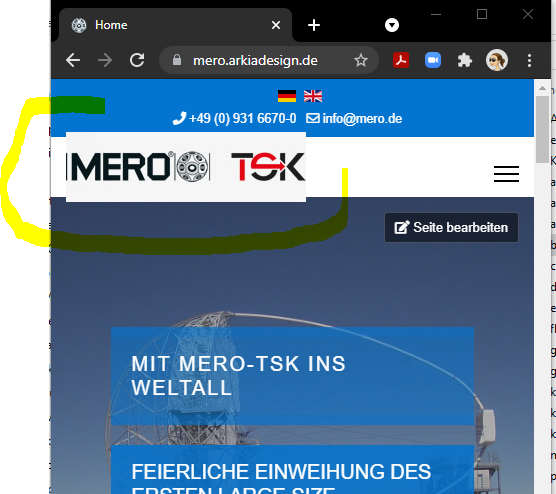
  1. logo background is different than header background

  2. still the main submenu the border-bottoms of the headings are missing. (firstly it was on the wrong postion and now it is gone completely!) I guess it is this code in my custom.css in template options that does not work any more:

  3. .underlinemenuitem

  4. the headings (for i. black on grey background) on index page are different. I dont know what the heck you were doing....if I knew would be nice....

plz make it as it was before

Toufiq Senior Staff

Please share a screenshot that you want to do exactly. Thanks

Martin Seidl Asked this

it is not possible for it is a hover effect. go to https://mero.arkiadesign.de/
hover overmain menu item "Bausysteme", see the first word KNOTENSYSTEME. Under this heading was a border bottom with #ddd solid and 5px. got it?

And on index page I already described.
see https://snipboard.io/aYdpj3.jpg
heading are black and different styles. I havent deleted the styles but they dont work anymore after your intervention.

Toufiq Senior Staff

Please check the menu issue. Thanks

Log in to reply.