Font Awesome menu icons missing since update - Forum | JoomShaper
Solved Helix Framework

Font Awesome menu icons missing since update

Asked by wintercorn 5 years ago Last activity 4 years ago

Joomla 3.10.1
Helix Framework 2.0.4
We had menu icons but after the update they disappeared and the ability to add FA code to the menu items also disappeared.

https://www.wintercorn.com/

See Joomla / WordPress parent and child items.

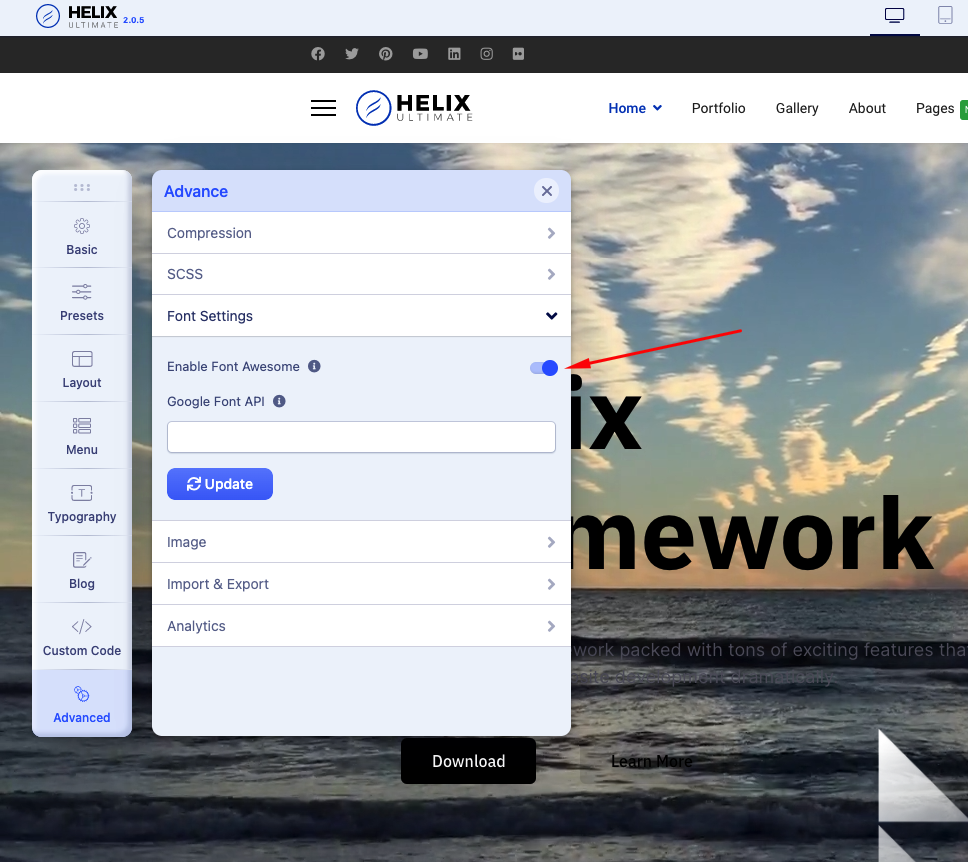
I've seen other thread which talk of a switch in the Advanced settings but our template options doesn't have that. See screenshot here : https://uploadpie.com/tBoeB8

Helix has been reinstalled and it didn't help. We are using a custom style of Shaper Opus.

Any suggestions?

Thanks

Accepted answer

Marked as the solution
wintercorn Asked this

I've now found the settings and reinstated the icons. Your instructions were of little help but thank you for your time.

32 more replies

Toufiq Senior Staff

Hi there,

Thanks for contacting us. Sorry for the inconvenience. Please follow the instructions.

https://prnt.sc/1rh250x

-Thanks

Toufiq Senior Staff

Will you please provide me the Joomla administrator access to check the issue? Thanks

wintercorn Asked this
5 years ago · edited

Required info enclosed.

Toufiq Senior Staff

Hi there, Thanks for update. The Opus Template is not updated with the Helix Ultimate. Please wait for the Template Update. Thanks

wintercorn Asked this

It shows the new template settings and version Helix v2.0.4 in the header though and if it's not updated why has the ability to add FA icons in menu items gone? No sure of the connection here.

Edit : And the 404 page has now gone.

Toufiq Senior Staff

Please clean your cloudflare cache. I hope it will work. Thanks

wintercorn Asked this

That was the first thing I did. CF is disabled now and the local cache is cleared if you want to test for yourself.

Toufiq Senior Staff

Please check now. Thanks

wintercorn Asked this

No difference.

Log in to reply.