

Menu Styles
To explore this template's menu settings through the Helix Ultimate editor, start by accessing your Joomla admin panel.
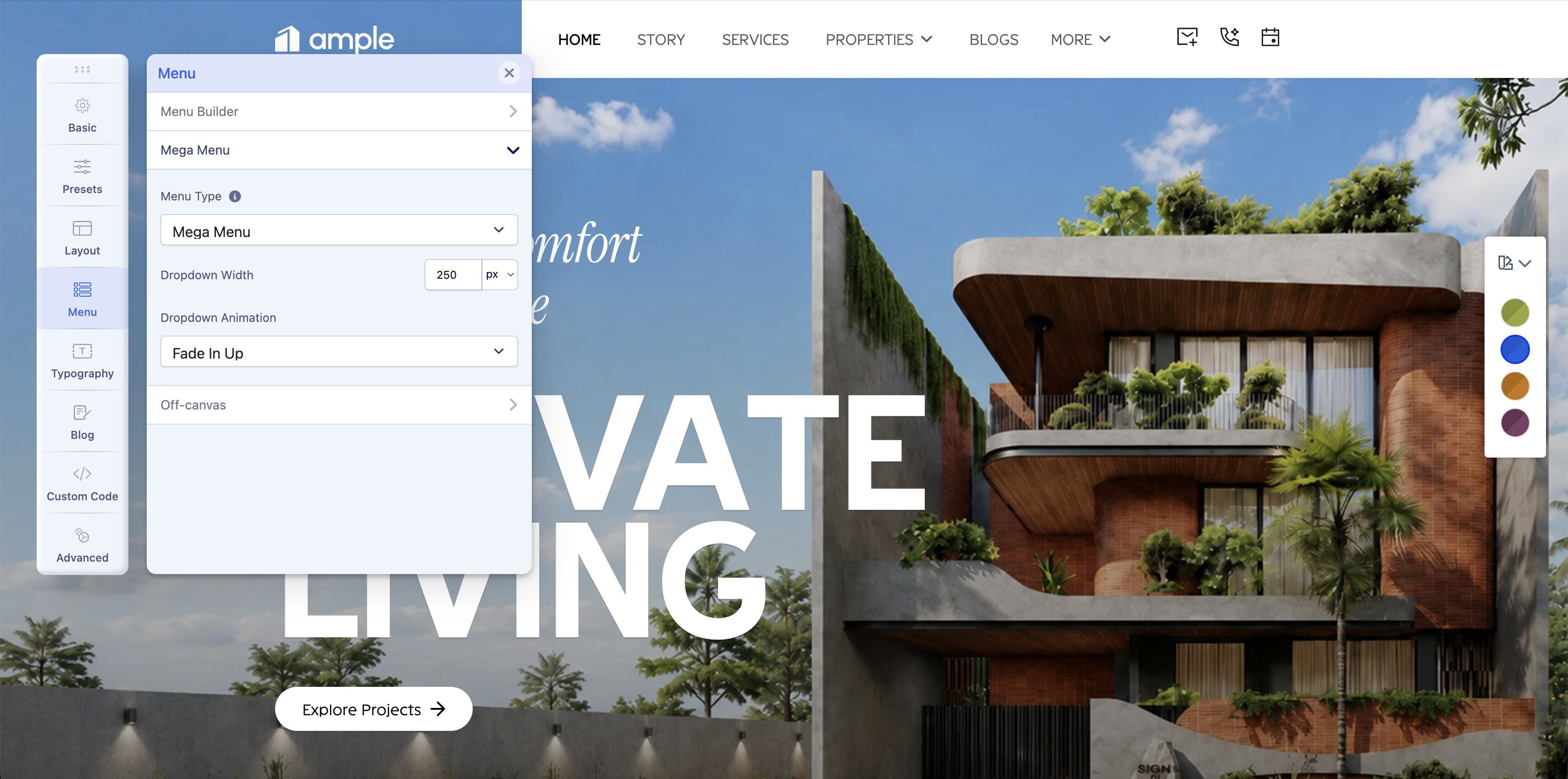
From there, go to System > Templates > Site Template Styles > Select ample-Default > Template Options. In the Helix Ultimate’s sidebar, click on the Menu tab, where you'll find three menu configuration options: Menu Builder, Mega Menu, and Off-canvas Menu.
Menu Builder
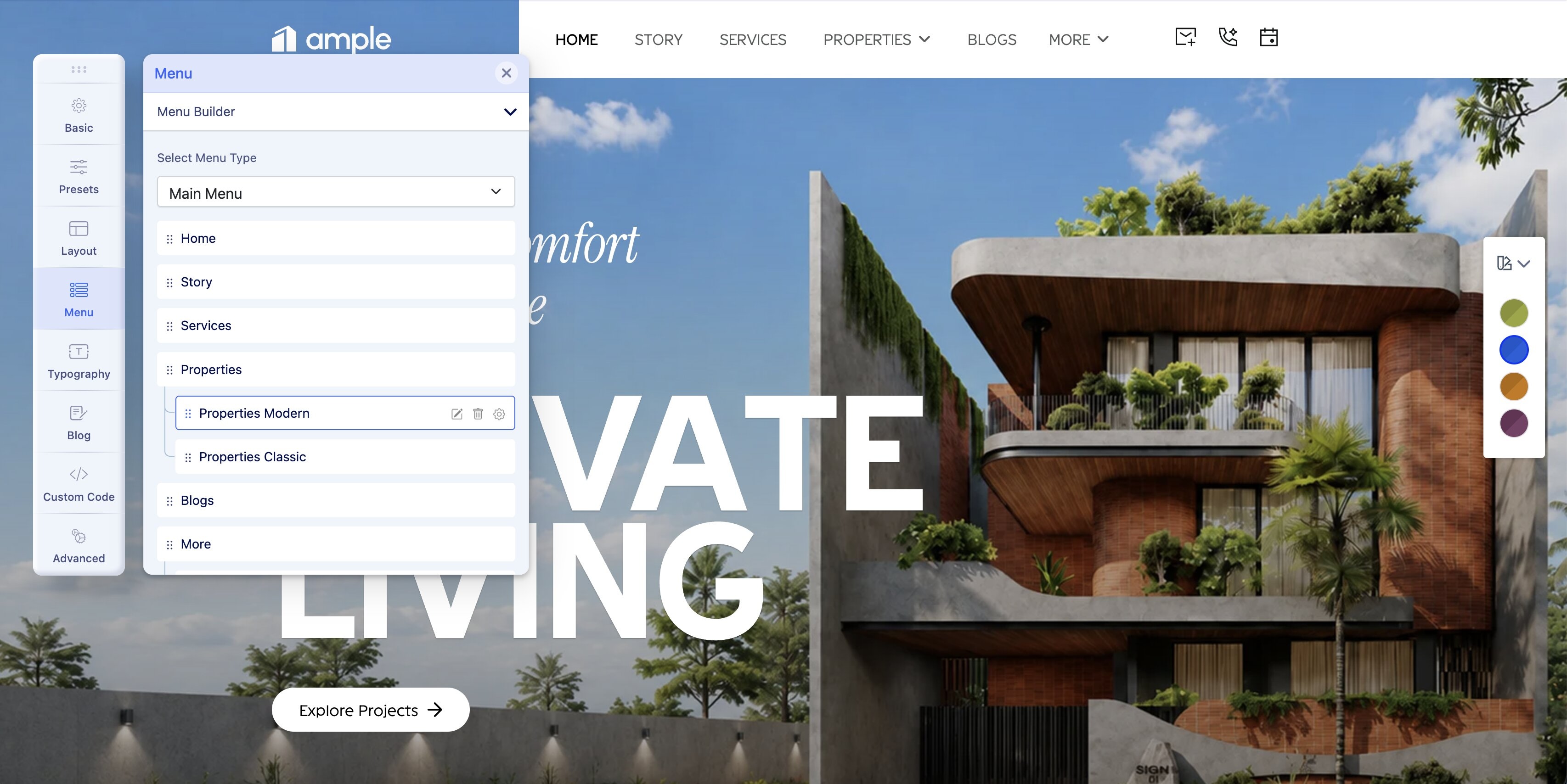
You can add a menu item to the existing menu from the menu builder option. All the menu items you see in the Ample template are listed here, along with the submenus. Upon hovering over each of the items, you can edit, delete, or access the extra settings and Mega Menu option.
Learn more about the Menu Builder here.
Mega Menu
Off-canvas
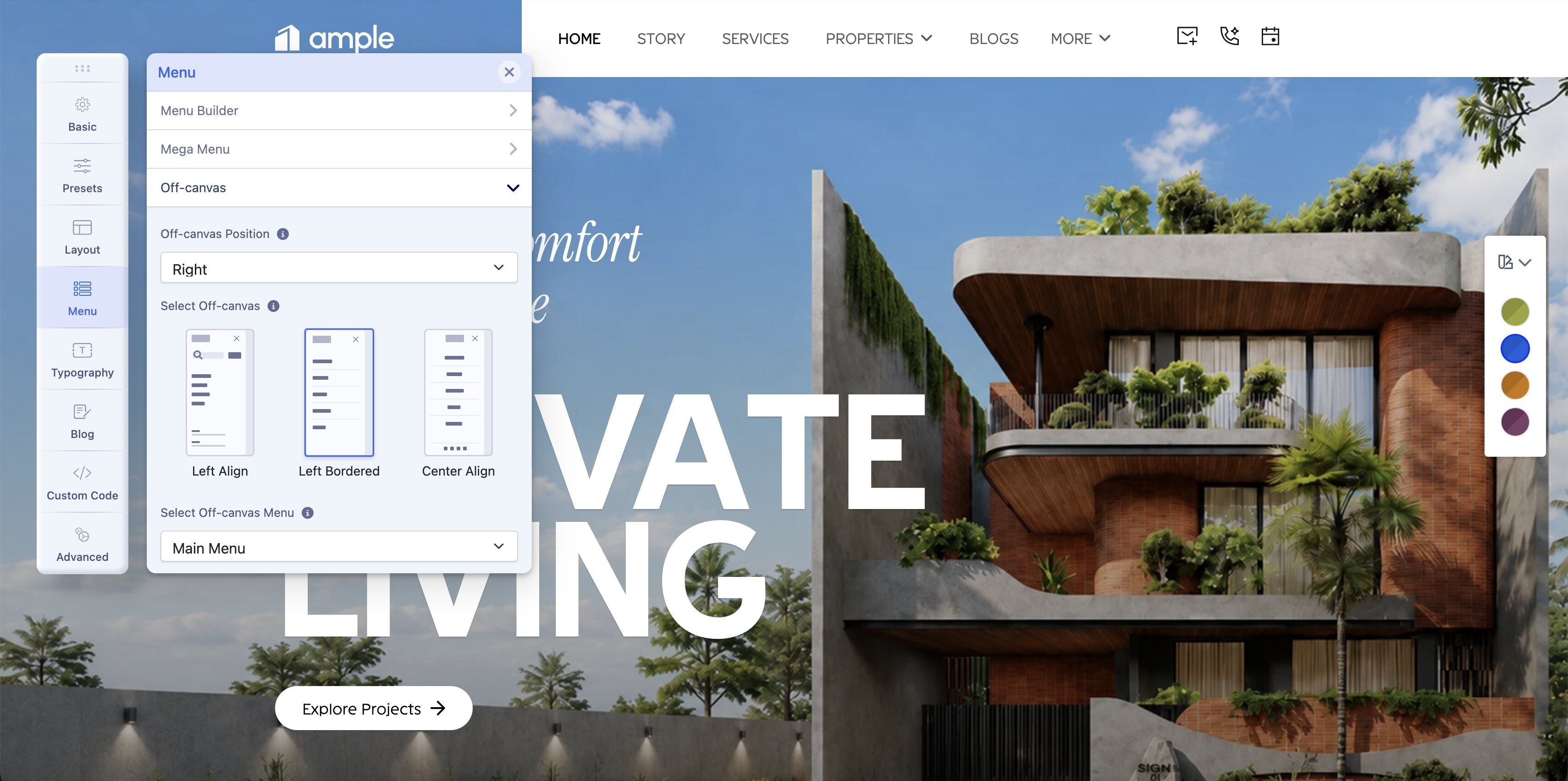
The Off-canvas menu manages the appearance and content of the Mobile Menu.
By default, Ample’s off-canvas menu is positioned on the right with a left-bordered alignment. You can easily customize and adjust both the position and alignment using the available options.
Learn more about the Off-canvas menu here.