Modules Used in This Template
Joomla 4, 5, 6
Updated 29 Nov 2024
1 min read
You can easily find the modules used in Maxora template by navigating to the Joomla Admin Panel > Content > Site Modules. From here you can see the list of published and unpublished modules.
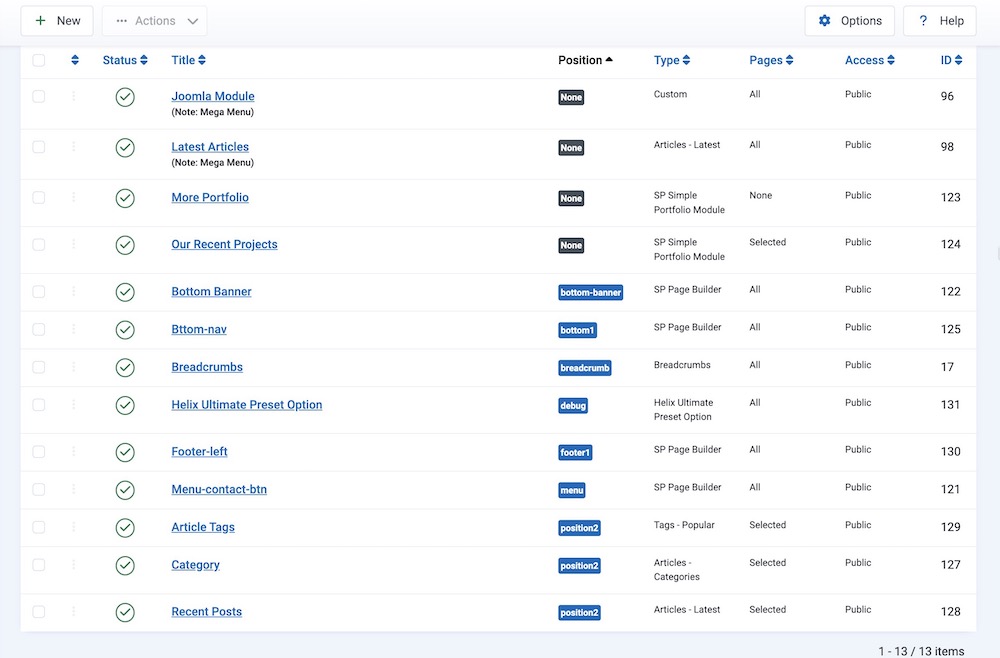
You can also access and use the modules that come with the SP Simple Portfolio components. From the Site Modules, click on the “+New” button at the top left corner of the page. In the search bar write SP Simple Portfolio to find the list of the modules of this component.
Learn more about SP Simple Portfolio from the detailed documentation.