How to disable OnePage (scrolled) links?
Joomla 4, 5, 6
Updated 22 Feb 2018
1 min read
How you might seen that by default all links in MainMenu are scrolled (onepage) links, they works only on current page which makes it difficult to add subpages with separate URLs. Or you already noticed "unidentified" error message in menu.
(!) To use those not scrolled or external menu links you have to add extra class for those menu items.
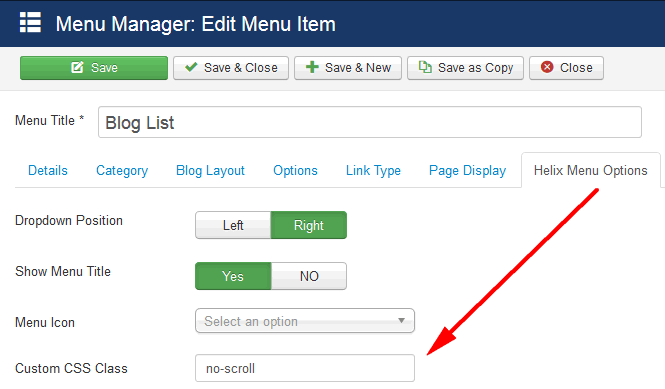
In Menu Manager -> Menu Item -> choose "Helix Menu Options" tab from menu settings, then in Custom CSS Class please insert : no-scroll