Rhythm bottom background image change
14 replies

Hello
Thank you for your query.
Please go to "Layout - Builder" from "Template Options". Open the "Bottom" layout settings. From "Styles" tab you will find the background change option.
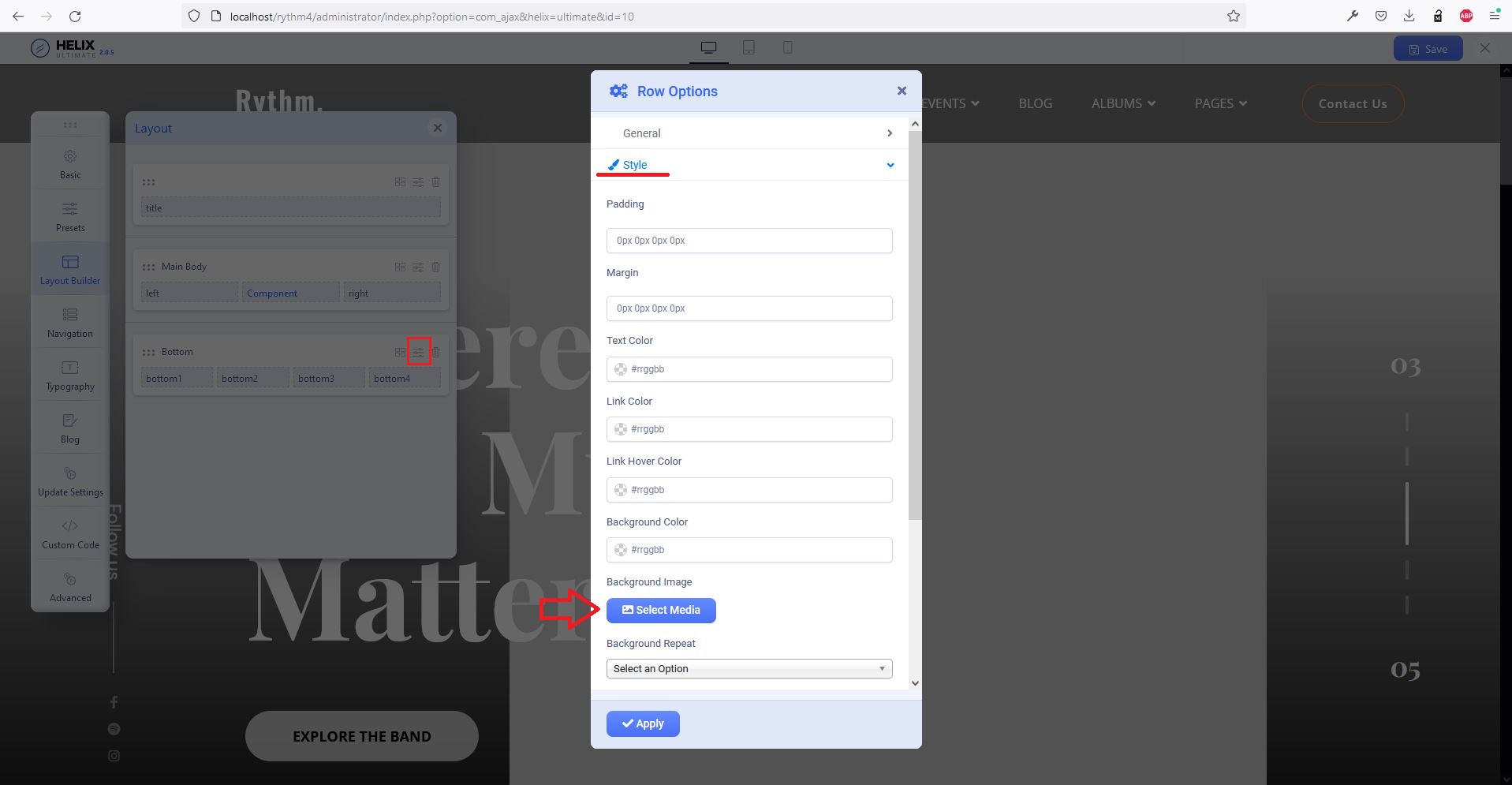
Hello
Could you provide me your administrative access, please? Use the hidden mode to share the log in credentials.
ok. :)
Hello,
i'm still waitinig
@ariba, how can i solve this problem?
hi,
please give me answer
hi,
please give me answer
Hello
Thank you very much for your patience and my sincere apologies for the unwanted delay. Our Senior Agent is looking into the issue and will respond to you soon. Your cooperation is highly appreciated.
Also, could you kindly check your site as we are unable to access it from our end, as shown in the screenshot below:

Hi,
I am having this very same issue. I've tried the instructions above, but it doesn't work. It does not state any background as being active and if I try to change the bpackground to something else it gets ignored.
Please can you advide how to fix this?
Thanks
I would also like to remove the line break that for some reason appears in the middle of the bottom area.
the line break for some reaso is appearing in the middle of the bottom area - see the lmage below.
I can't find a way to remove it at all...
I have just changed the background so far by changing the image to be a solid colour. Not ideal but works for now.
Hello Dayle Lunn
Apologies for your inconvenience. Please make a new post about your issue.
It's the same issue as the one in the first post above. I can't change the background image of the bottom area / footer..
I should be able to remove the background completely, I shouldn't have to edit the background image...