

Problem With Slideshow Images Format In SP Page Builder Pro

REMO
Hello, I have migrated from Joomla 3.10.4 to 4.0.6, the site is visible at the URL https://remofrqots.cluster023.hosting.ovh.net for testing and for the moment the SSL certificate is not valid. Shaper Helix Ultimate version 2.0.5 SP Page Builder Pro version 3.8.3 I created the home page with SP Page Builder and used the Slideshow element. A css file was generated in the folder media/com_sppagebuilder/css/page-2.css In this css file, I set the format of the images of the slideshow {height:100%;width:100%;}, but regularly this file page-2.css is automatically modified and the format becomes {height:385px;width:400px;}. Example .sp-slider #sp-slider-item-1641456071126-num-1-key #sp-slider-inner-item-1641456071128-num-0-key img {height:100%;width:100%;} Is replaced by .sp-slider #sp-slider-item-1641456071126-num-1-key #sp-slider-inner-item-1641456071128-num-0-key img {height:385px;width:400px;} I read this documentation https://www.joomshaper.com/documentation/sp-page-builder/sp-page-builder-3/caching-system But I can't find a solution to prevent this page-2.css file from being replaced automatically and keep the slideshow images format {height:100%;width:100%;}, Waiting for your help, Thank you, Alain
24 Answers
Order by
Oldest

Paul Frankowski
Accepted AnswerHi Alain,
I checked your site, and all seems to be OK
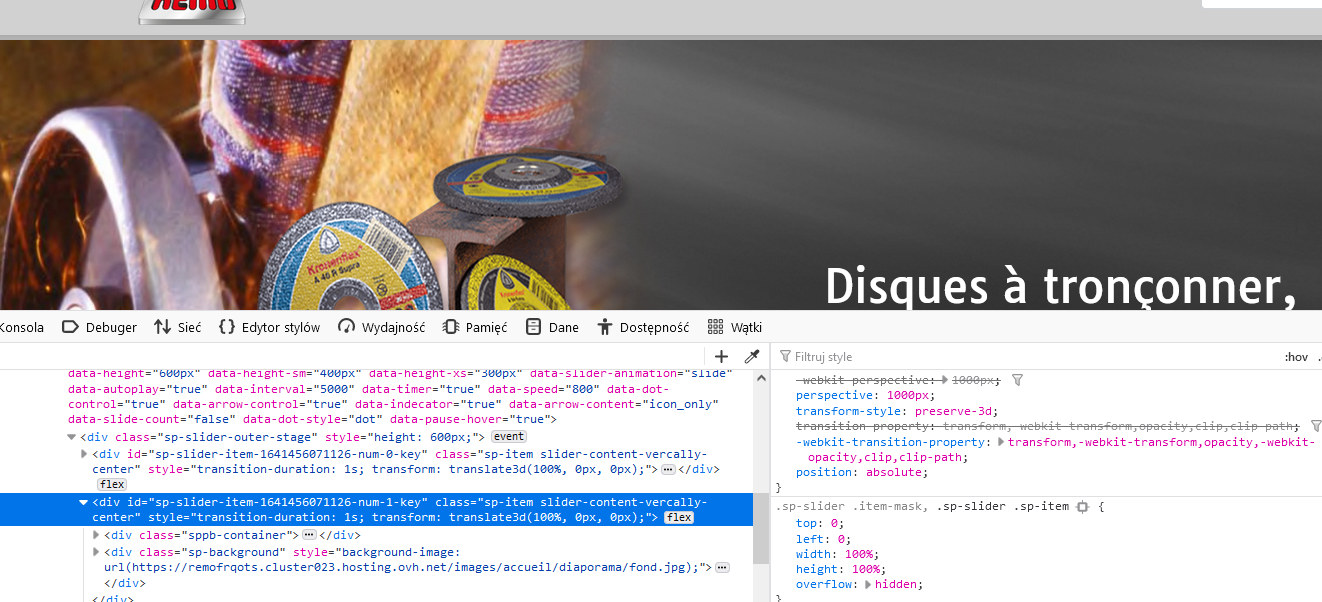
I don't see width: 400px...
REMO
Accepted AnswerHello,
Thanks Paul for your answer, but look again, you will see that the stylesheets have been replaced while I did not make any changes.

 Waiting for your help,
Thank you,
Alain
Waiting for your help,
Thank you,
Alain
REMO
Accepted AnswerHello,
I am disappointed not to have any help especially since I bought the Pro version which normally allows me to have a help from your technical support during 1 year.
Paul Frankowski
Accepted AnswerDOne, I changed only "Slider Height" option in slideshow addon, nothing more
REMO
Accepted AnswerNo, I would like the image format not to be distorted. As mentioned before the image format is automatically changed in the css file by {height:385px;width:400px;}. and I don't want that. I want to keep the original format of the images.
Paul Frankowski
Accepted AnswerIn that case you talk about images inside slider? like folders, etc. ???
REMO
Accepted AnswerYes the images inside the slider Please do not change the height of the slideshow. It is only the format of the images inside the slides that are distorted.
Paul Frankowski
Accepted AnswerRefresh browser and check again, it should be now OK. Real height for images inside slider.
REMO
Accepted AnswerIt seems correct, the images are not distorted. However, I have the impression that they are smaller than the original format.
Can you explain me what you have changed. Thanks
Paul Frankowski
Accepted Answer.sppb-sp-slider-image > img, .sp-slider .sp-item img {height: auto !important;}
I think now looks better than it was before.
Paul Frankowski
Accepted AnswerNow I changed width from 400px to 500px for desktop view, and should be even much better.
That's all I can do I guess.
REMO
Accepted AnswerIn which CSS file did you integrate this style? Yes, it's better than before, the images are not distorted but they are smaller than the original format.
Paul Frankowski
Accepted AnswerIn "Accueil" - Check Custom CSS section and add your corrections there.
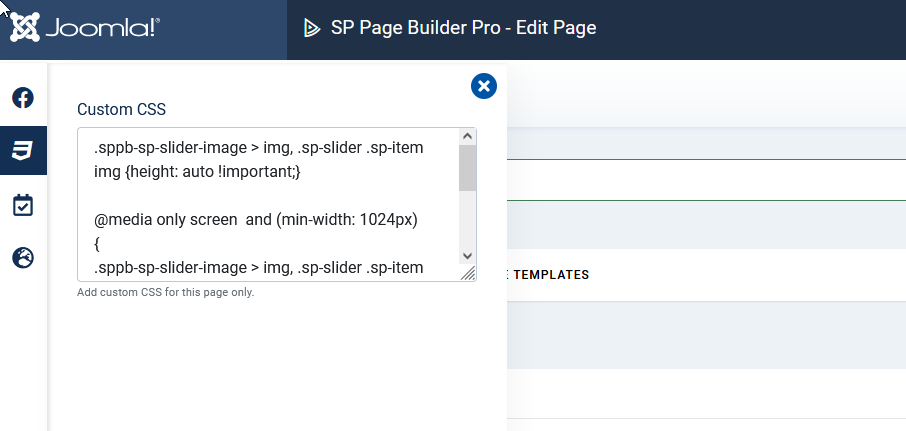
Paul Frankowski
Accepted AnswerSlideshow set them smaller by default, but ....
please check this option for Images - set bigger width etc.
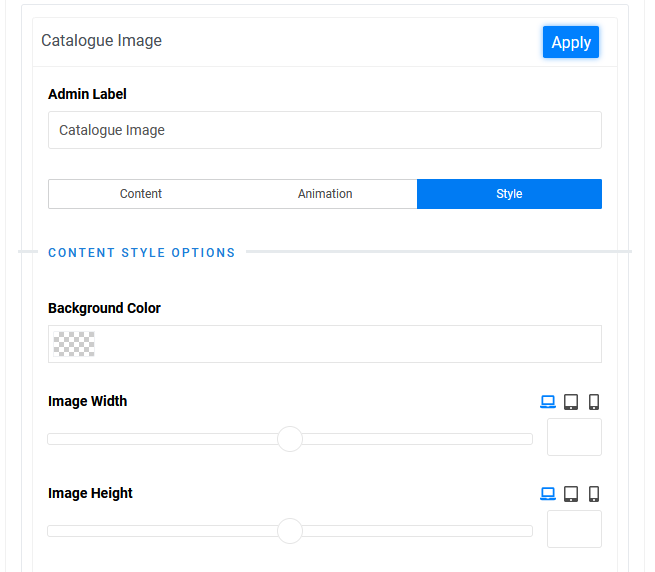
Maybe it will help better than custom CSS.
REMO
Accepted AnswerIt's a shame, for slide 2 and 6, the images are very small.
Otherwise, I didn't get an answer to my 1st question why this file page-2.css is automatically modified and the format becomes {height:385px;width:400px;}.
REMO
Accepted AnswerYes, but the CSS addon will be generated inside the header tag and you think it will prevent automatic style replacement ??
REMO
Accepted AnswerThank you Paul for your answers and the time you spent on this. I will continue my research regarding the image format. If necessary I will contact you again.