

Copy Template Problem
JC
Joel C
I have the newsberg template installed from quickstart within a Joomla 4 environment, and have it applied as default template applying to all modules. When I create a copy of the template using Joomla's Copy Template option, and then apply that copy as the default my site pages appear much differently than with original template. After investigation I found the Copy Template action did not copy the sppagebuilder sub-folder, the webfonts sub-folder, nor the en-GB.tpl_newsberg.ini file. I copied those, renamed the .ini file to use name of my template copy (copyofnewsberg), and the pages appear closer to original template but the header portion is not displayed, and is not displayed in the template options viewer either. Another observed difference is any custom css entered in the original template helix editor does not appear in the copy. I've provided site access details in hidden content. Can Copy Template be used for the newsberg template to produce an identical copy for use, and if so what additional steps are needed to make it behave as an identical copy?
Website
https://*.thearda.com
5 Answers
Order by
Oldest

Paul Frankowski
Accepted AnswerMissing folders or files you have to copy manually. Just compare what is missing. Joomla copy tool may not copy all. It doesn't depends on us, it's J! core feature.
As I said before, template rename and deeper customizations are on your hands only.
Paul Frankowski
Accepted AnswerHi Joel,
- How long you're using Joomla?
- Joomla "Copy Template" button never copied any files. It does not make 2nd alternative/different template. It's still this same template but you can use different options inside.
- If you decided to rename template folder , you do it on your risk only. We have guide that may help: https://www.joomshaper.com/documentation/helix-framework/helixultimate/how-to-rename-helix-ultimate-template
- Update Joomla to 4.0.5 or 4.1 if you still have older version.
- If you have custom.css file in template A, you have to copy that template also to template "B" /css/ folder.
- Sometimes you have to also copy current template settings from Template A to B.
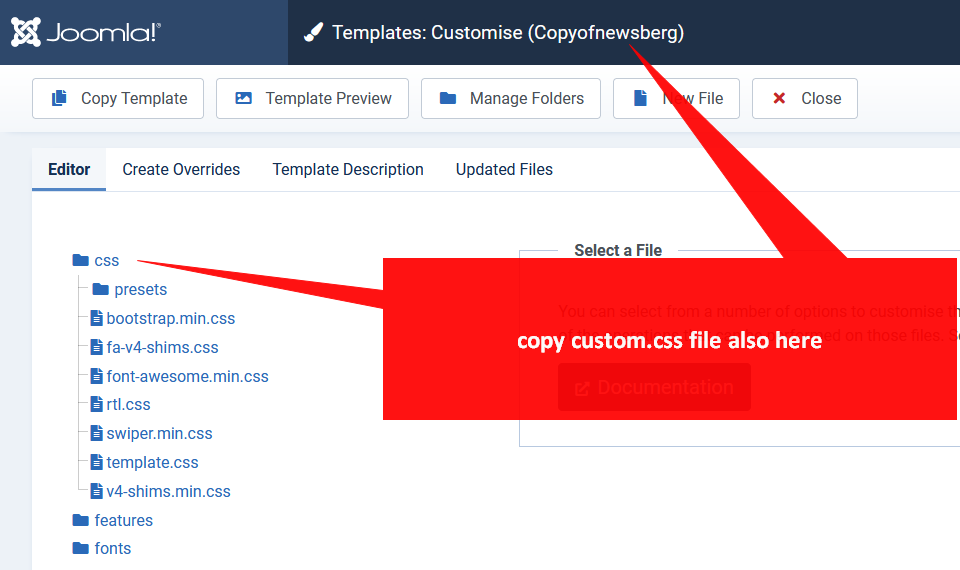
Whole rest is on your hands.
JC
Joel C
Accepted AnswerThanks Paul. Using joomla for several months, and just getting into joomshaper template application.
The copy template button action did create a new folder (copyofnewsberg) in the templates area, but understand that sp page builder additions would not have been copied, nor custom css.
Currently my customized css is in the helix template options custom code area, and I do not see a custom.css file, so that helix-entered custom css code is presumably in the database.
My intent was to preserve a copy of the template within the joomla environment before I began making further modifications, in hopes I could "switch back and forth" between an original working template and one I'm editing. I can make backups of the database and web site as needed, and was just seeking to have a preserved "original copy" of the template within same joomla environment as template undergoing modifiction, for comparsion purposes, and thought the Copy Template button would achieve that, and seems due to internal naming aspects this may not be achievable in that manner.
RL
Ralf Lieb
Accepted AnswerHi everybody this link https://www.joomshaper.com/documentation/helix-framework/helixultimate/how-to-rename-helix-ultimate-template is not accessible anymore - can somebody give advice thx Ralf
S