

Typography Gone From Posts
SS
Saint Maur International School
Hello
Recently, I noticed that a number of typographic elements lost their formatting in posts like this one.
I have had to add it back via the custom CSS field in the template to make it display properly. If you look at the <strong>markup, there seems to be a conflict between bootstrap and the template style sheet.
Any idea how to fix this?
13 Answers
Order by
Oldest

Paul Frankowski
Accepted AnswerHi,
Indeed, it's becuase Bootstrap5 doesn't use full strong "bold", but "bolder" (madness!). Hopefully easy to fix using a single line of custom CSS:
p strong, b, strong {font-weight: bold;}
Add it in Template Options - Custom Code - Custom CSS
SS
Saint Maur International School
Accepted AnswerThanks for the quick response Paul!
Are you able to share some feedback regarding the <blockquote> issue? It used to display well but now I have had to add the formatting in the custom CSS too. Likewise, <hr> disappeared too.
All seem to fall back upon a boostrap issue.
Paul Frankowski
Accepted AnswerIn Bootstrap 3 they used this:
blockquote {
  padding: 10px 20px;
  margin: 0 0 20px;
  font-size: 17.5px;
  border-left: 5px solid #eee;
}
hr {border-bottom: 1px solid #ccc; padding:7px 0;}
SS
Saint Maur International School
Accepted AnswerIs this something that affect only my website (and why?) or are you seeing this issue with other Joomshaper template users?
Paul Frankowski
Accepted AnswerAll my private sites are based on Helix Ultimate since beginning, but they are OK so far.
SS
Saint Maur International School
Accepted AnswerPaul,
I've looked through your forum and a number of users seem to ba having the same problem. Either way, this is an issue with your template and I expect that your debvs would fix it.
Also, I have reported a bug where the desktop menu shows over the content, only to be told by your support that this problem did not exist. The thing is, I am getting many reports from my visitors that this is happening.
I am sorry to say this but I find Joomshaper's support very unsatisfactory given that I am paying the Developer fee for it.
Thank you
Paul Frankowski
Accepted AnswerIf you noticed any other issue:
- Make screenshot of issue
- Share link with short info what is wrong
Here, as you see I helped you so far
SS
Saint Maur International School
Accepted AnswerPaul, all this info is in the post that I have already open on your forum and likned to in my previosu response.
Instead of disappearing to leave only the hamburger menu, the main menu stays visible in mobile view and overlaps with the site content.
- https://imgur.com/oeB41KJ It occurs on several devices and browsers, but not on others. I have also seen that this has been reported a number of times on your forum but none of the fixes offered have worked for me.
As for your help earlier. I appreciate that you offered me a way to roughyl patch issues on a ad-hoc basis but I still do not undertand why I should need to do this on a template that is built to make use of bootstrap framework.
Paul Frankowski
Accepted AnswerSorry, crazy times in Europe (not peaceful like in Japan), I am checking right now.
Paul Frankowski
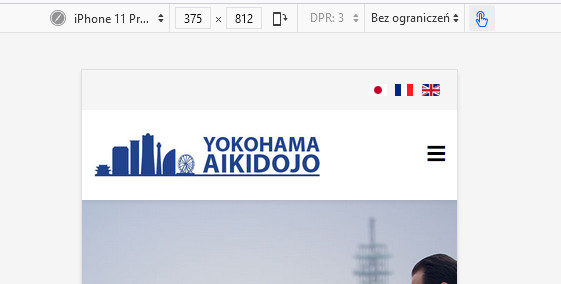
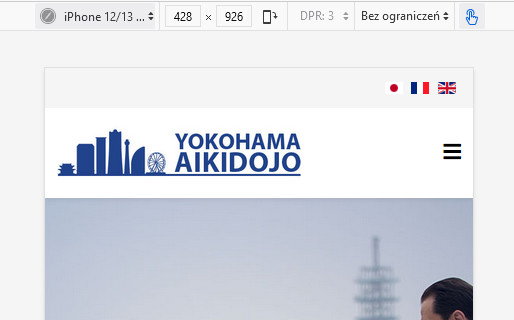
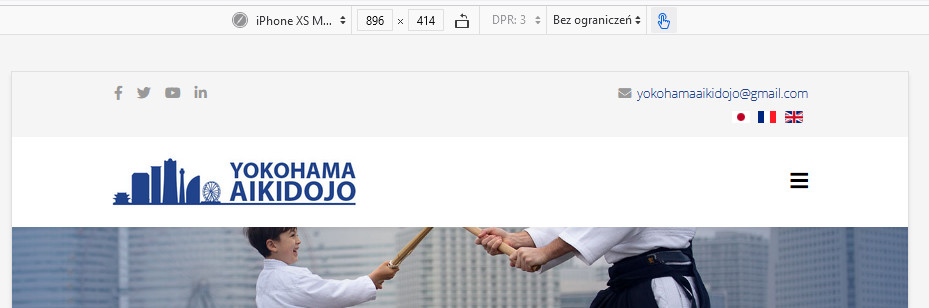
Accepted AnswerThis screenshot that you made was on what screen resolution?? I need details, to fix it somehow. I checked on those and was OK
SS
Saint Maur International School
Accepted AnswerA user sent me that screen capture from his android phone yesterday. https://imgur.com/undefined You can see that the menu items (in black) overlap with the picture.