

Email Not Working From Send Us Your Feedback Page
IS
Integrin Enterprise Solutions
Hi, I'm using floox template, and trying to test Contact > Send Us your Feedback and did Mail Settings configuration in System > Global Configuration and able to successfully test using Send Test Mail. however when i use Contact > Send Us your Feedback i do not get an email, i have shared the details in the below video, Pls can you advise.
11 Answers
Order by
Oldest

Ofi Khan
Accepted AnswerHello Integrin Enterprise Solutions
Apology for the inconvenience. Please share your administrator access here to check the issue. Use the Hidden Content box to share the credentials. Make sure that you have a full site backup with you before sharing.
Best regards
IS
Integrin Enterprise Solutions
Accepted AnswerThanks Ofi Khan for the response, i have included access details to the site in the hidden content section, pls can you assist when you got chance.
IS
Integrin Enterprise Solutions
Accepted AnswerApologies OfiKhan, can you retry now, it should be working
Ofi Khan
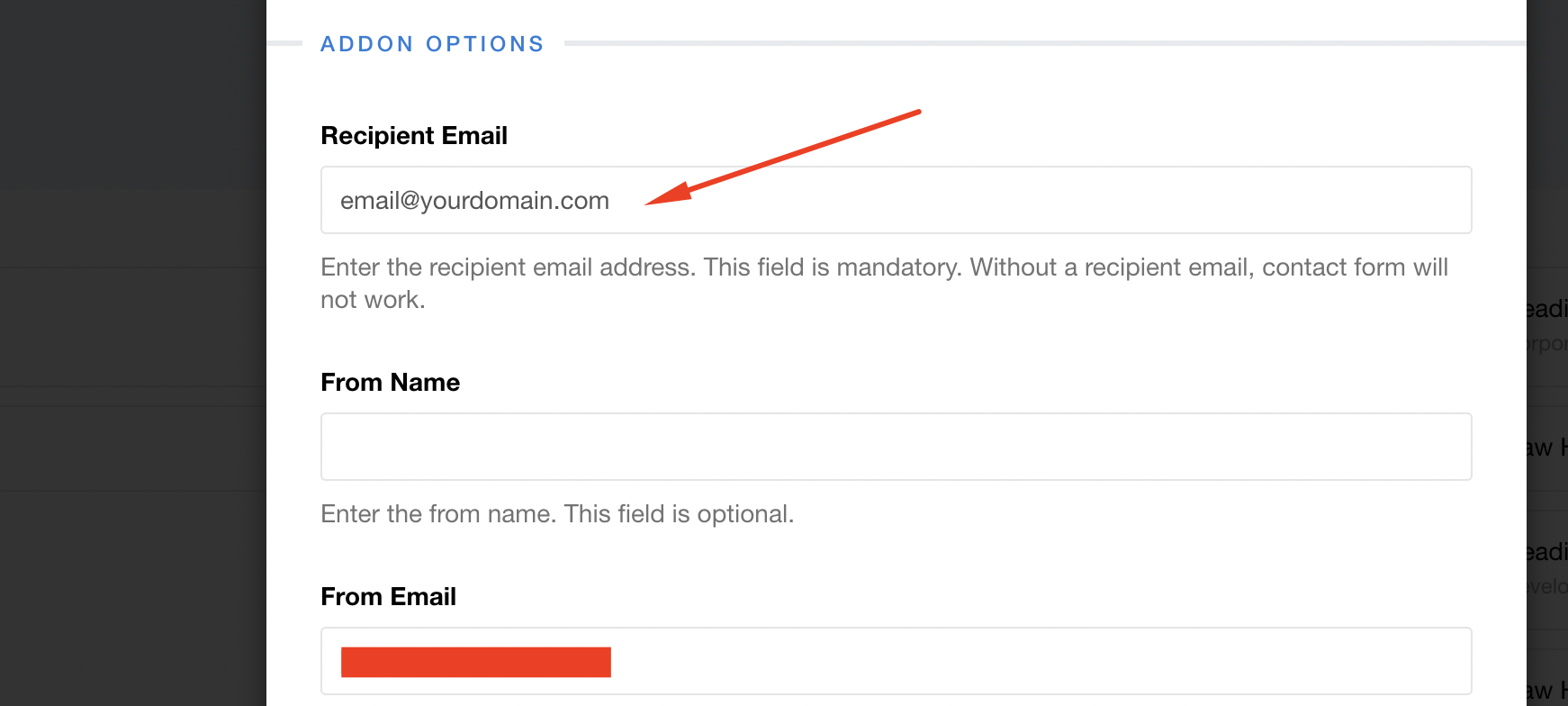
Accepted AnswerNo problem. I have set the From Email. Please set Recipient Email and it should be different than the From Email. You will get an email in the Recipient Email address.
IS
Integrin Enterprise Solutions
Accepted AnswerThanks OfiKhan for the response, can you share the details of where to configure the above Add-On, i.e. how to navigate this add-on, i'm not aware of what this add-on is.
Ofi Khan
Accepted AnswerPlease follow this documentation. You just need to put two emails: From Email and Recipient Email. These will be two different emails. From Email is the same email that you have used in the Global Configuration. Recipient Email is any other email.
IS
Integrin Enterprise Solutions
Accepted AnswerThanks Ofi Khan, this worked and receiving email with Subject & Message, is it possible to get the Name & Email as well, two boxes in the top line in the included screen https://prnt.sc/6yJkKP1fu0FK
Ofi Khan
Accepted AnswerYou are welcome. Please use Form Builder addon then. There you will get all the information you want.
IS
Integrin Enterprise Solutions
Accepted AnswerThanks Ofi Khan, i may not have expressed correct, When a user enters Name and email in the attached form, the email received by Recepient email does not seem to include Name and Email entered in the form it only includes Subject & Message, Pls can you advise. https://prnt.sc/6yJkKP1fu0FK