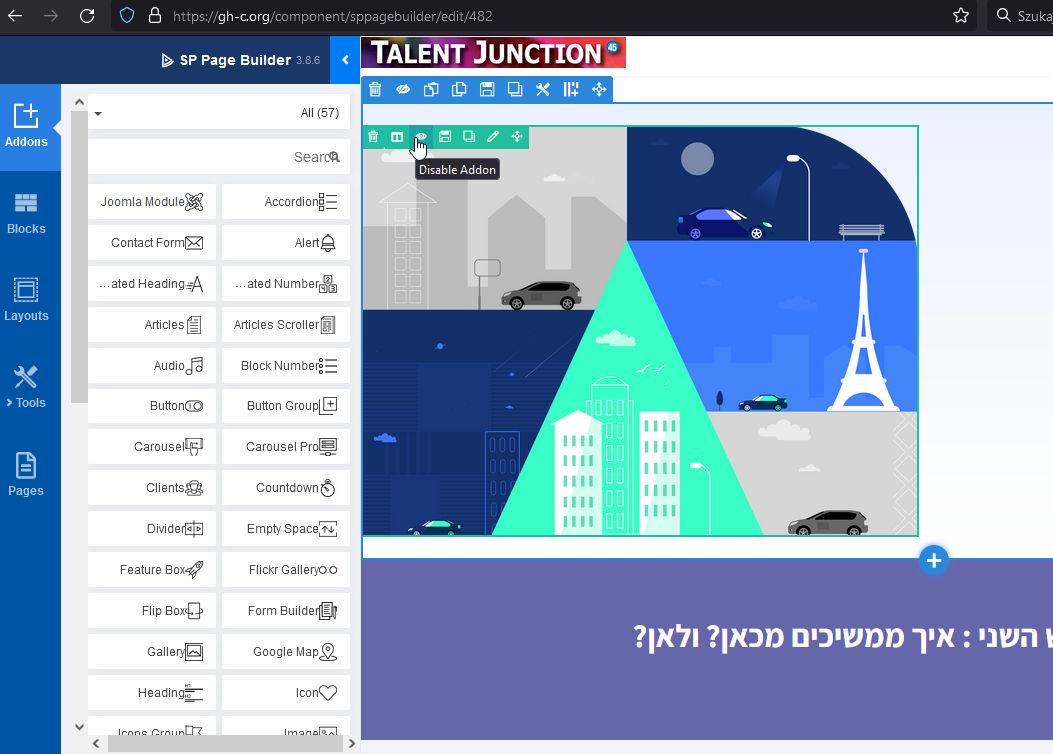
SP PB - Visual: Present Full Size
U
udi
Hi,
When open Sp PB in visual mode it uses part of the template.
How can I get full size?
thank you Udi
Website
https://gh-c.org/
12 Answers
Order by
Oldest

Mehtaz Afsana Borsha
Accepted AnswerHi,
Thanks for contacting us. Could you please give me that specific page link?
-Regards.
U
udi
Accepted Answerhi, thank you for the quick response
https://gh-c.org/component/sppagebuilder/edit/482
Admin details at hidden part
Mehtaz Afsana Borsha
Accepted AnswerAre you talking about this page?
U
udi
Accepted AnswerHi,
No .. the link I sent you which is a preview of the editor.
That's why I sent you login details. The page is the newst one.
Udi
U
udi
Accepted Answerlogin as admin Page ID = 482 Preview >> https://gh-c.org/component/sppagebuilder/page/482
Mehtaz Afsana Borsha
Accepted AnswerIt seems ok on my end. Could you please clear your Joomla and browser cache?
U
udi
Accepted AnswerHi, You looked at the "preview".
I'm talking on the frontend editor ... https://imgur.com/IutKLhV
It uses the template include modules, displayed selectivily ...
I wish to have full-page editor and content.
please advise. Udi
U
udi
Accepted AnswerCould you please clarify? I did not understand what you meant to.
thank you Udi
U
udi
Accepted AnswerHi Mehtaz, I succeeded to have the editor with full disply (I disabled 2 modules ot that position)).
Now, when I open the editor: full screen NO data ... elements
I must have the editor ... nw pages to develop
Please advise.
thanks, Udi

Paul Frankowski
Accepted AnswerHi Udi,
you last link contain this same content as 1st one, but you said that you disabled modules on the left side, so in theory you should have only page to edit.
You can use back-end editor as well, if this would be easier for you.
... I will login to your site to check...