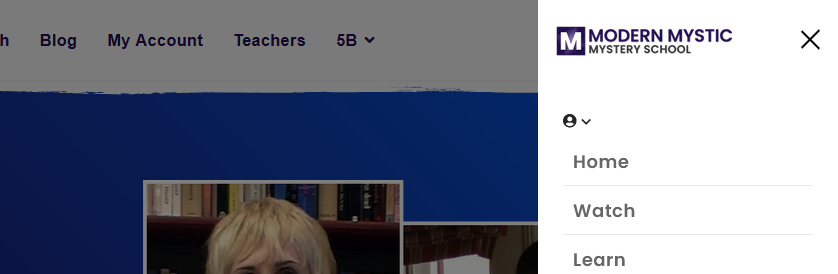
Off-Canvas Logo Size
JK
Jeffrey Kiefer
Helix Ultimate default template - Where do I change the size for the off canvas logo? Or maybe there is some custom css for this?
6 Answers
Order by
Oldest

Mehtaz Afsana Borsha
Accepted AnswerYou are most welcome. You can now close this post by accepting answer.
Mehtaz Afsana Borsha
Accepted AnswerHi,
Thanks for contacting us. Could you please give me your site URL and also screenshot of your issue? So that I can check?
-Regards.
JK
Jeffrey Kiefer
Accepted AnswerYes, Here is a screen shot of the off-canvas logo and I will post url in hidden content as the site is a demo site and not publically available.

Mehtaz Afsana Borsha
Accepted AnswerHi,
Use this custom CSS and you can change the height which you want
@media (max-width: 576px){
.logo-image {
    height: 30px !important;
}}
Path towards custom CSS: Extensions>Templates>Styles> Click on your current default template name then choose Template Options. Then find custom CSS within the custom code.

Paul Frankowski
Accepted AnswerIf I may...
.offcanvas-menu .logo-image {height: 35px;}
seems to be more universal solution, because it works also on desktop preview not only in mobile view. I already used it on your site : Template Options - Custom Code - Custom CSS (at the end)