
Hello! I´m working with sp-pagebuilder_pro in the Yamas template Joomla 4.x.
I will change the current Yamas logo (file logo.svg) to an ordinary png -or jpg logo file 699x145 px but did not find successful way to change the logo. I received an error message.
What to do?
Cheers! inguarkp
Solved
Templates
Try to change the logo
Asked by Inguar Karlsson-Parra
4 years ago
Last activity 4 years ago
Accepted answer
Marked as the solution
Ariba Staff
Hello
Apologies for the inconvenience. Could you kindly share what error message are you receiving, please?
16 more replies
Inguar Karlsson-Parra Asked this
Dear Ariba! Many thx for reply.
The error message is "undefined".
Please see attached screenshot (link) below (hidden content). File name "sammels-logo.jpg" .
Regards Inguarkp!

Paul Frankowski Senior Staff
If I may...
- Have you uploaded that logo already? Maybe use Joomla Media (!) for that or FTP tool.
- If after (1) you still cannot choose that logo in Template Options - share access to admin area, we will try our "magic"
Inguar Karlsson-Parra Asked this
Hello Paul!
Many thx for response.
The logo is uploaded to the server and is selectable in the images folder.
Please check screenshot in link below.
BR Inguarkp
Paul Frankowski Senior Staff
4 years ago
· edited
Put link to screenshot again, we do not see it (at least I cannot)
Do You still cannot choose that image in Template Options - Basic - Logo ??
Inguar Karlsson-Parra Asked this
Hello Paul!
Yes, i have tried Template options - Basic - Logo without success (error message is "undefined").
Here below pic links/screenshots (2). Hope you will find those.


BR Inguarkp
Paul Frankowski Senior Staff
So you can select but you cannot save?
Because as I see you have logo there already.
Anyway, please create new user or share access as Super User + URL -- we will change your logo.
Inguar Karlsson-Parra Asked this
Ok Paul!
Sounds great! Maybe you can tell me later after you have made the succesfull logo publish how to do it (I like this template and will use/upload the template in another domain).
Find the credentials as super user below.
Thank you!
B Regards / Inguarkp
Inguar Karlsson-Parra Asked this
Hello Paul and all other in the staff!
The issue is still unsolved.
Can you ckeck again?
Cheers! inguarkp
Paul Frankowski Senior Staff
you fogot to share URL to site
Inguar Karlsson-Parra Asked this
Ok Paul. Thank you!
Here is the url : http://sammelsversio2.finlandseaside.eu/
Cheers Inguar
Paul Frankowski Senior Staff
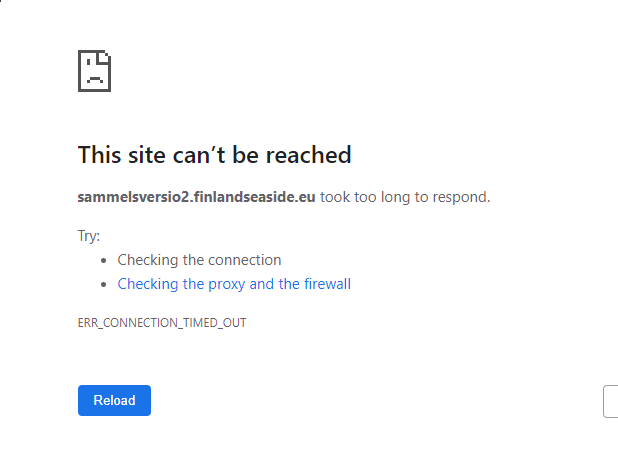
I couldn't connect, worked 60 seconds and then gone for ....minutes
Paul Frankowski Senior Staff
4 years ago
· edited
now site is working..
but anyway, indeed somehow settings are not saved, i don't know why yet, I have to ask our developer
temporray I changed logo using different, manual method
Inguar Karlsson-Parra Asked this
Ok Paul! I will wait. Just notify that I want to change to an image logo (* .jpg), => sammels-logo.jpg
(note:the jpg logo is uploaded to the server).
Cheers!
Inguarkp
Inguar Karlsson-Parra Asked this
Hi Paul! waitin for your check!
reetins!
Inguarkp
Paul Frankowski Senior Staff
Can you share Domain name, or you still use testing: sammelsversio2.finlandseaside.eu ?
Inguar Karlsson-Parra Asked this
Yes new testdomain now. Please turn over to new testdomain below in hidden box.
There you will also find the credentials for login to admin
Cheers!
Inguar
Log in to reply.