

Too Much White Space Between Rows (above And Below)

Nader A.
Hello, every time I add a row to a page using SP Page Builder, there is so much white space between everything. How do I fix this? Is there a way to decrease the white space above, below, and in between every block?
https://jondavidsalon.net/index.php/community/going-green/renewable-wind/test
Thanks, Nader!
Website
https://jondavidsalon.net
4 Answers
Order by
Oldest

Paul Frankowski
Accepted AnswerBTW
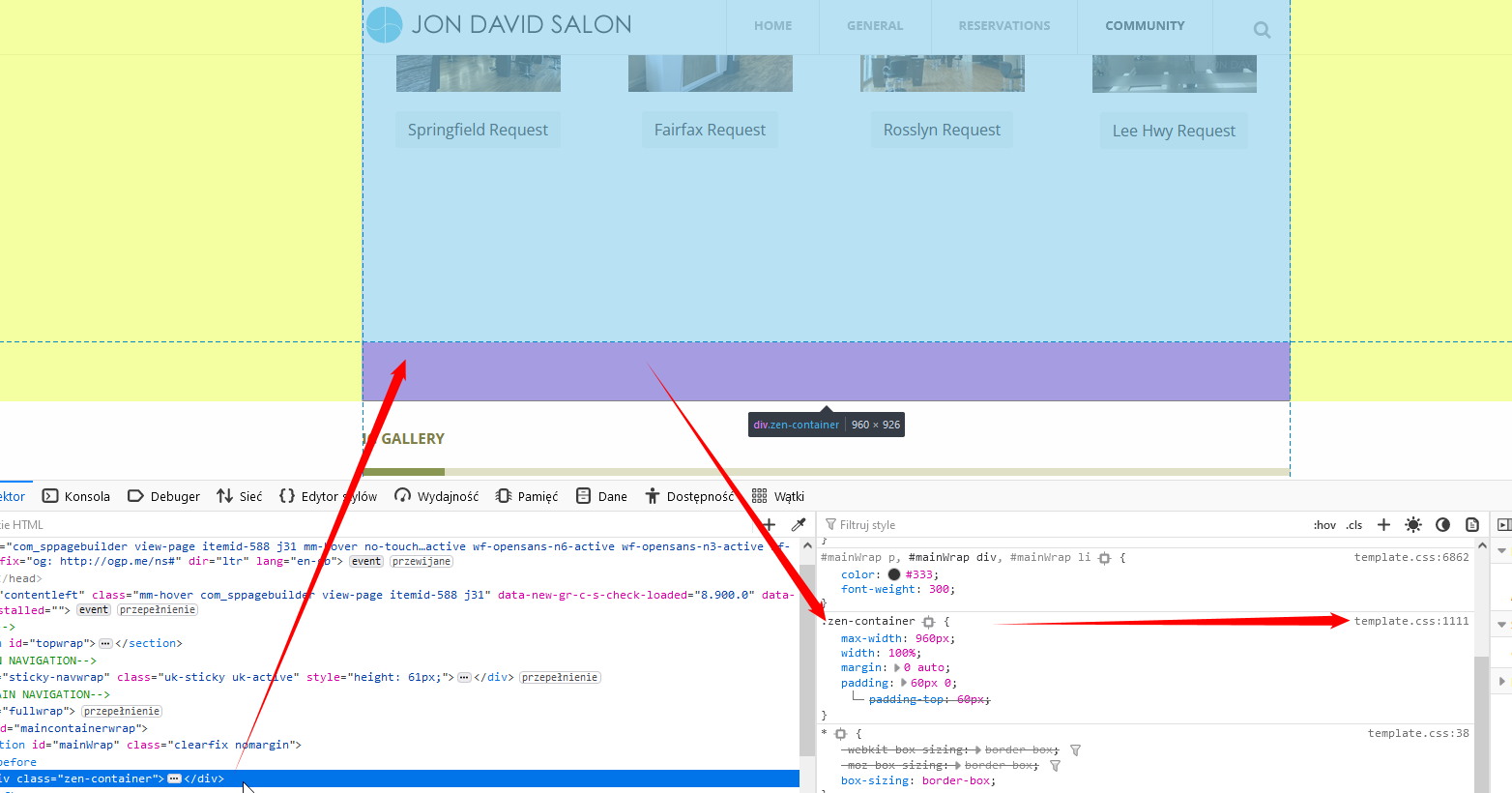
Some paddings inside your website are from template (not SPPB!), for example, zen-container etc.

Mehtaz Afsana Borsha
Accepted AnswerHi,
Thanks for comtacting us. Could you please give me a screenshot of your issue? I need to check.
-Regards.
Paul Frankowski
Accepted AnswerIf I may...
You have to change top and bottom padding value inside Row Options - Style - Padding & Margin.
Example is here
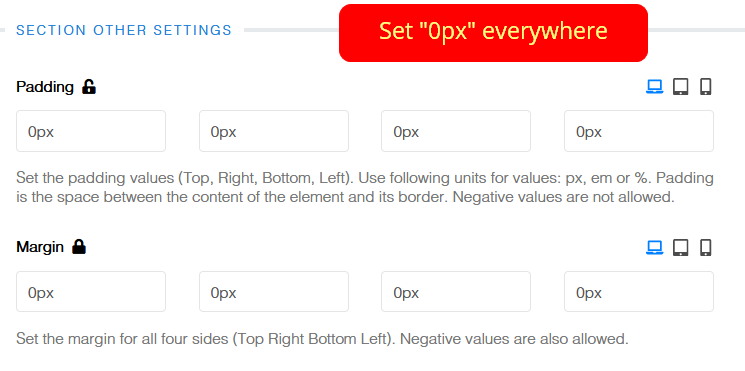
LAZY TIP! If you want to have Row without any space (padding/margin) at all. Create a new Row, set 0 0 0 0 everywhere. Then Save Row as pattern. Use it from the list everytime where you need a new Row without padding in just 5 seconds.
Read "3. Custom row " from: https://www.joomshaper.com/documentation/sp-page-builder/sp-page-builder-3/export-import-and-save-how-to-reuse-custom-designs