there is a notification of the sppage builder update, but I can't update the sppage builder, here's a screenshot

Solved
SP Page Builder
update sp page builder
Accepted answer
Marked as the solution
Paul Frankowski Senior Staff
You cannot in that case, it's separate subscription.
In theory only $ this way: https://www.joomshaper.com/pricing#page-builder
License that you probably have is for one website / domain.
5 more replies
Paul Frankowski Senior Staff
Hi Joe,
you have very old version installed, from Oct 2018, with probably old update path inside.
Just download a new version from: https://www.joomshaper.com/downloads/extension and reinstall. Backup first!
joehanazawa Asked this
thanks paul , but the link you mentioned is the sp page builder lite? but what I have is sp page builder pro? will when i install it will be the pro version or will it stay lite
Paul Frankowski Senior Staff
4 years ago
· edited
There is PRO if you have active subscription for that product.
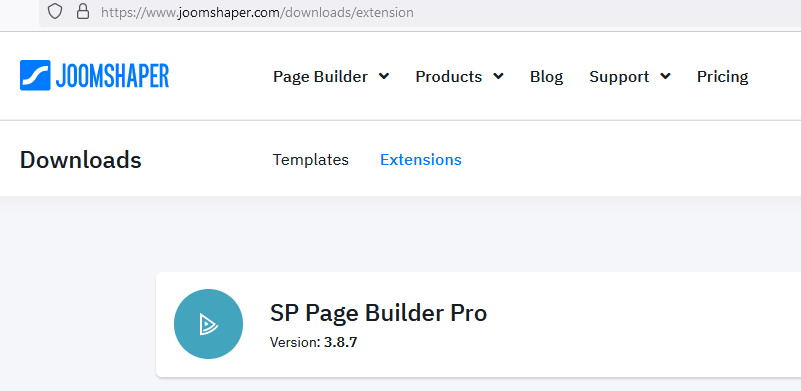
Of course if you install Lite over Pro you will lost access to all Pro features from component!
So I recommend using only Pro package (com_sppagebuilder_pro_v3.8.7.zip)

Mehtaz Afsana Borsha Staff
Hi,
Yes you have to install the pro version from that link then you will get the update. But make sure you have backup before doing any changes.
-Regards.
joehanazawa Asked this
4 years ago
· edited
I have an active template and extension license, but there is no sp builder pro link, it's only lite. does this mean I can't update my pro version?
Or is there another way so I can update the pro version that I now have, or is it not possible because the template license doesn't include the spbuilder update?
because on my other website, it also uses a template license and the spbuilder can be updated.
Log in to reply.