pagebuilder how do I download a previous version of the page builder update and this gives me problems
Solved
Templates
pagebuilder older
Accepted answer
Marked as the solution
Paul Frankowski Senior Staff
4 years ago
· edited
I used Firefox and as you can see (on my video) all worked fine, changes were saved.
Maybe try from different browser. Not Chrome, just for testing period of time!
If I any step missed in my video test, let me know.
But module have image addon with logo etc.
11 more replies
Paul Frankowski Senior Staff
4 years ago
· edited
Hi Fabiana,
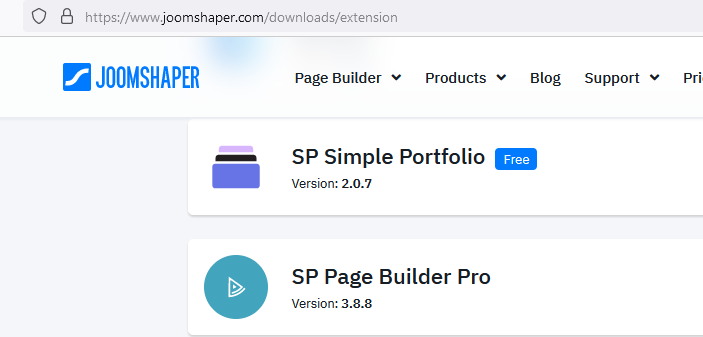
from this same Download section, just scroll down to find SP Page Builder Pro 3.8
fabiana Asked this
I have saved one but it does the same thing when I go to edit a module and change the pagebuilder information everything is blank you can see if I solve it
Paul Frankowski Senior Staff
4 years ago
· edited
I cannot get in "You don't have permission to access this resource." I guess firewall.
Maybe recover website from backup! You hosting provider should have it, if you forgot to make it.
fabiana Asked this
what country are you entering from so I enable you on the server
I have page 3.8
and it's giving me this problem with joomla 4 I can't raise backup because I lose everything I tab
Paul Frankowski Senior Staff
Ah, OK.
please unlock
fabiana Asked this
ok
try now
Paul Frankowski Senior Staff
Thanks,
but I was able to edit SPPB modules from back-end, changes are saved.
Maybe just record a video with issue/details, upload on your youtube account and share link
fabiana Asked this
ok sent
Paul Frankowski Senior Staff
Chrome Cache can be source issue as well, so I also suggest to clean it deeply and later re-check.
fabiana Asked this
firefox
https://prnt.sc/Vus8Epn7FSBl
with firefox it does the same to me as chorme, what version do you use?
Paul Frankowski Senior Staff
FF 103.0.2
Log in to reply.