Resize Background Image/attachment In Mobile View
AB
Alexander Brandl
Hello, I use the helixultimat template and edit it with the page builder. How can I resize wallpaper for mobile view here. https://dr-mainberger.de/_cms2022/index.php/notdienst.html What is meant is the image below after the content.
Thanks in advance for your help, Alex
4 Answers
Order by
Oldest

Rashida Rahman
Accepted AnswerHi there!
Thanks for your query.
You may use the following code snippet in your custom CSS:
@media (max-width: 767px){
section#section-id-1658999312441{
    background-position: center !important;
    background-size: 100% 45% !important;
}
}
Note: Path towards custom CSS(Joomla 3): Extensions>Templates>Styles> Click on your current default template name then choose Template Options. Then find custom CSS within the custom code.
Best Regards
AB
Alexander Brandl
Accepted AnswerHello, I inserted the css code - but it's joomla 4 - and it doesn't work. what could it be - any ideas? best regards Alex

Paul Frankowski
Accepted AnswerHi Alex,
I have no CSS method.
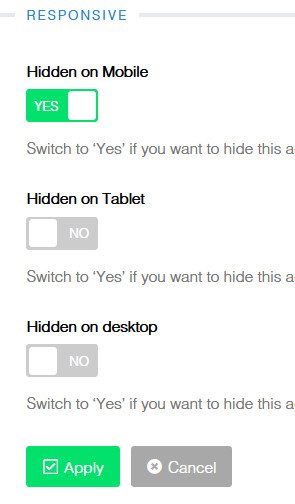
Create new 2nd Row with smaller bg image , but with background-attachment: scroll , NOT fixed! Set to display only in Mobile, Hidden in Desktop and Tablet .
And in 1st orginal Row Options > Hidden in Mobile.