Menu Nav Counter Number Displaying In The Google Search
AG
AECC Global
Hi,
Menu nav counter number displaying in the google search even after it is hide on the site menu bar. Below is the screen shot for the reference.
7 Answers
Order by
Oldest

Paul Frankowski
Accepted AnswerHi,
- Check HTML code of those pages, < title > area.
- Check Menu item name and title used for browser in settings.
I don't think it's a template issue, as I know nobody before you had it. Maybe that number was there and Google index that, and now still display it. Like Google does. Resend site map and wait. Or ask SEO expert.
AG
AECC Global
Accepted AnswerHi,
Checked everything. Still I am facing same issue. Here is the screenshot of menu without number
Added a url with user facing same issue with nav counter number
Paul Frankowski
Accepted AnswerYour Menu item has ID 111, but Google indexed number 12, it means it's not from that
Please talk with SEO expert how to reindex in Google faster!
Check also what other search engines will show you! Bing, DuckDuckGo etc.
AG
AECC Global
Accepted AnswerHi,
Not only that menu, all the menu having same issue. Example only I showed that menu. Attached screenshot of all the menu having same counter.
Paul Frankowski
Accepted AnswerYou had hidden numbers from view, that's why I did not see that.
HERE IS A SOLUTION:
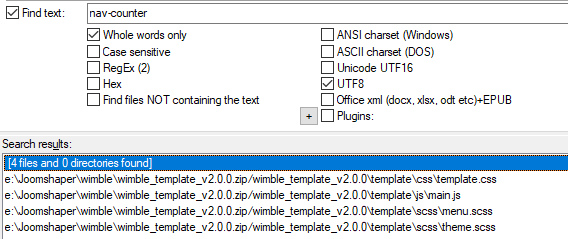
- Edit that file: templates\wimble\js\main.js
- Delete < span > .. </ span > code from it
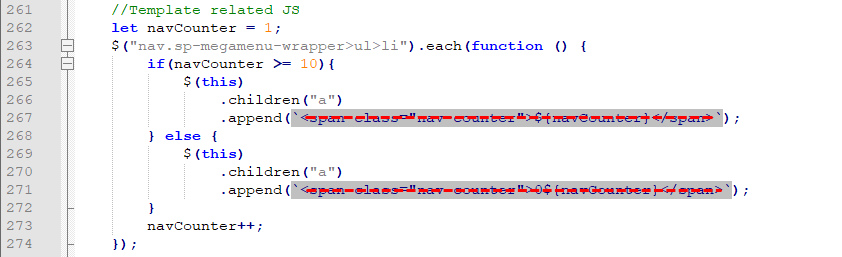
- Ask Google to reindex your website to remove numbers from Google Cache.
- That's all.
AG
AECC Global
Accepted AnswerHi,
Still it is showing , I removed cache also. Check the screenshot