
Hi, Template shaper helixultimate 2.0.11 joomla 4, how to remove the navigation switch in the top menu on the phone, it needs to be like on a tablet.
Example:

Solved
Templates
Remove the navigation switch in the top menu
Asked by 2
3 years ago
Last activity 3 years ago
Accepted answer
Marked as the solution
Mehtaz Afsana Borsha Staff
Glad to know that. You can now close this post by accepting the answer.
4 more replies
Mehtaz Afsana Borsha Staff
Hi
Thanks for contacting us, Could you please give me your site URL so that I can check?
-Regards.

Pavel
Hi. As far as I understand, this is not related to the template. This can be disabled in the menu module settings (Joomla core option)
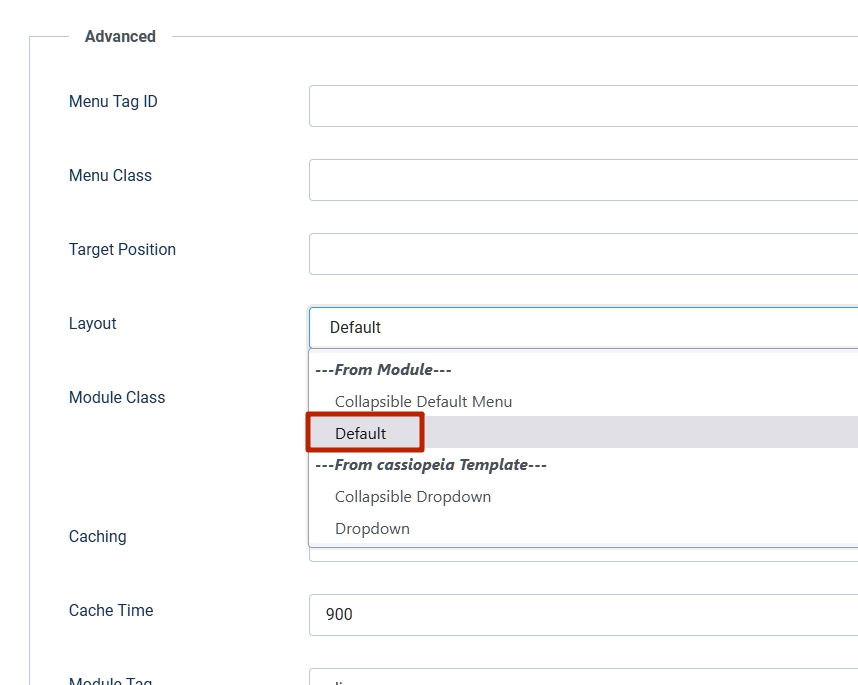
Luis Cepeda
I am not expert here but the support we received here is very poor and we may not even call it support.
Viktor,
I believe this is a template setting, you may find this in (Joomla back end > System > Site Template Styles > your default template > Green button template options > Navigation tab >> Select Mega Menu only.
Currently you have Mega Menu & Off Canvas selected.
This or something like this should be the answer from support, no need to wait a week to get an answer.
Luis
2 Asked this
3 years ago
· edited
Thanks, issue resolved.
Log in to reply.