Solved Templates

View Images Side-by-side

Asked by Balazs Horvath 3 years ago Last activity 3 years ago

Accepted answer

Marked as the solution
Paul Frankowski Senior Staff
3 years ago · edited

If I may....

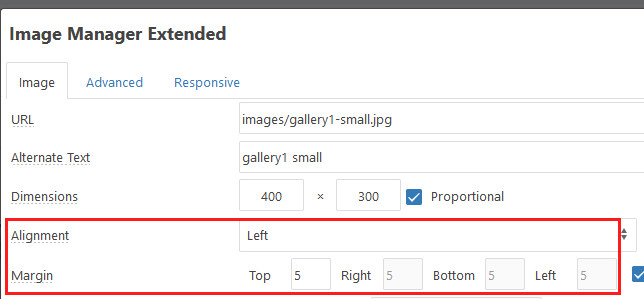
use JCE editor and click on each image and choose align "Left" and add margin.

222.jpg

yes, you can get this same effect also via extra HTML style="float:left;" added to each image!

<img src="/images/pic1.jpg" alt="pic" style="margin: 5px; float: left;" />

1 more reply

Rashida Rahman Staff

Hi there!

Thanks for contacting us. It seems you are using the Joomla default editor to build your articles. Each image is included in a different paragraph, so this is happening I think. If you wish you can organize your single article details view with the SP Page Builder editor, it will be much easier for you.

The following blog may help:

https://www.joomshaper.com/blog/beautify-your-joomla-blog-posts-with-sp-page-builder

Best Regards

Log in to reply.