How to create a link in a text block to an article that has no connection to any menu?
Clicking in option content does not show any article.
???
Staff replied
SP Page Builder
Link in article to article without menu item
7 replies

Paul Frankowski Senior Staff
3 years ago
· edited
Hi,
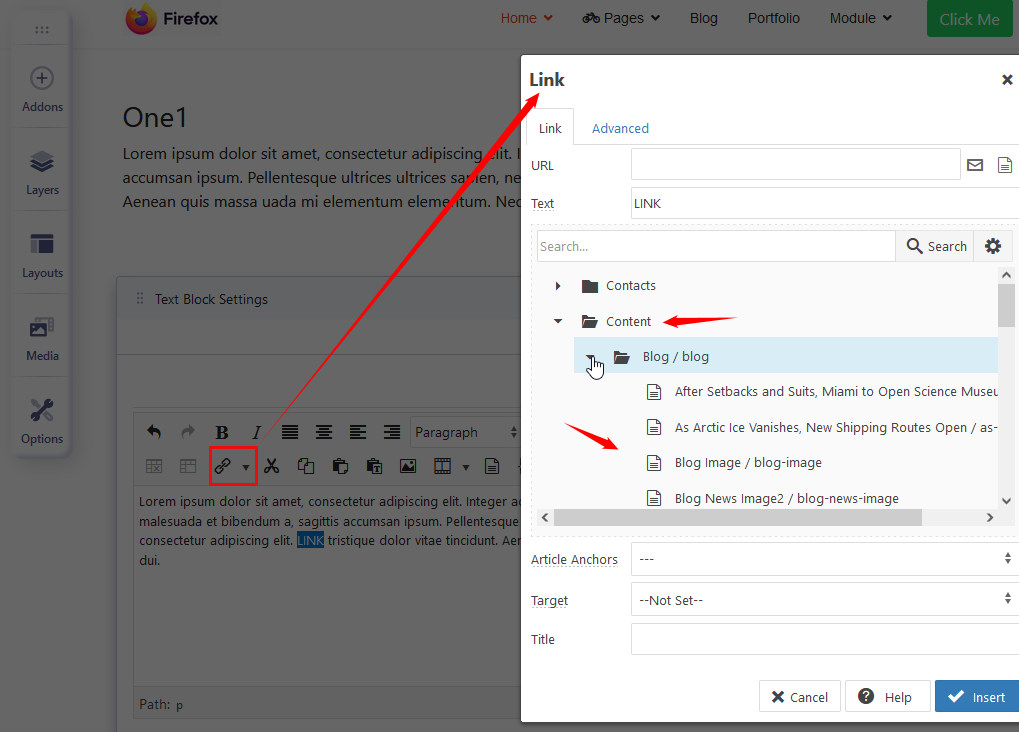
Use JCE editor toolbar - its link button has this feature! So you can link word(s) into article without menu etc. just from list of articles (content).
BS motor Vertrieb und Verlag GmbH Asked this
Hi,
thanks but this does not work with me.
Klicking on the Link in JCE, then on Content it shows categories created in J4 (without Pagemaker).
It does not show the categories created in Pagemaker!
Also no single article is shown, even by clicking on the arrows on the left.
Btw, no category created in J4 is shown in the Pagemaker categories and the other direction. The same wih the articles. A stange behavior. Pagemaker acts totally separatly from J4. Only in my case?
Do I have access to the pages only by using the pagemaker?
Thanks
Paul Frankowski Senior Staff
3 years ago
· edited
Categories and Pages from SPPBuilder are not Articles!, so you don't see them inside JCE Content.
I hope you know that if you will not add page inside menu you will get a long URL, not short SEO friendly.
That's why I strongly recommend add pages inside "Hidden menu" first then copy alias and use inside links. Always think about SEO first!
BS motor Vertrieb und Verlag GmbH Asked this
Hi,
but why are there shown categories from Joomla?
Paul Frankowski Senior Staff
3 years ago
· edited
Danke.
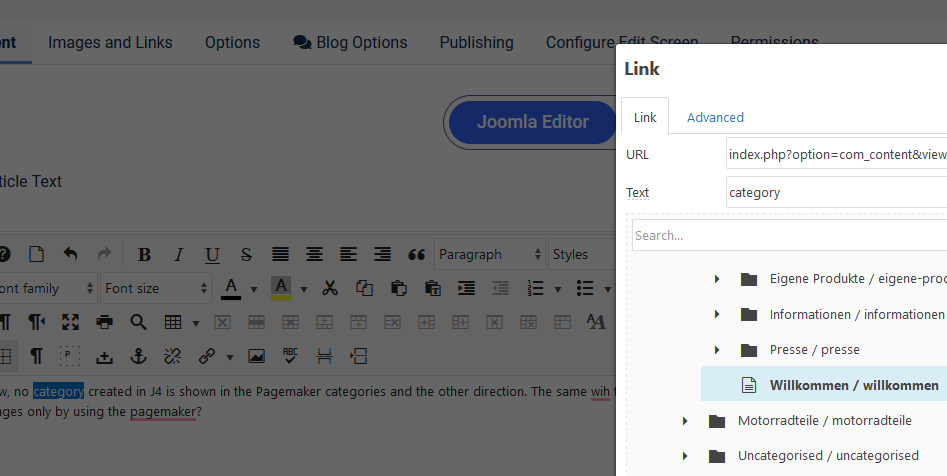
As I saw you have only ONE active article "Willcommen" and this is available in the JCE link feature.
This tool can only link to published articles, which is pretty obvious.
About SPPB mode in article.... works this same.
Why or How to add pages to the list? Ask JCE devewloper, not me.
From my perspective all works as it was developed.
BS motor Vertrieb und Verlag GmbH Asked this
Does this mean I have to create an article in the backend of J4 and a page with the SPPB?
Paul Frankowski Senior Staff
It depends - if those subpages should be more in design style - use just pages.
If just text with images - Articles - should be OK in most cases.
Think about website SPEED as well: If Article use SPPB mode - also on front-end it has to load both components code: Article and SPPB. It means ... slower than just Page or Article view.
Simple things are better.
Log in to reply.