Solved Templates

New Installation of Pitech Quickstart Template

Asked by Andy Colley 3 years ago Last activity 3 years ago

Just loaded up new website via the qickstart option.

All worked as expected and can login to the administration side of things and have added the licence key also.

The problem is that the website does not show. If I go into a page to edit or preview this also does not show or gives a 500 error.

I assume that I have gone wrong somewhere but dont know where.

Accepted answer

Marked as the solution
Paul Frankowski Senior Staff

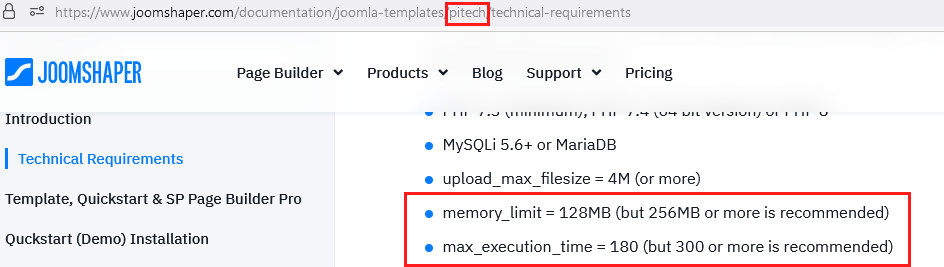
yes, we informed about that in template documenation

242.jpg

Ask hosting support how to change those two settings on your domain.

4 more replies

Paul Frankowski Senior Staff
3 years ago · edited

Hi Andy,

indeed error 500 can be caused by many "stupid" things.

I need access as Super User to tell more...

Andy Colley Asked this

Please see hidden content

Paul Frankowski Senior Staff
3 years ago · edited

Please update Joomla first, becuase by Joomla installator is not possible in your server right now, please:

  1. Go here: https://downloads.joomla.org/cms/joomla4/4-2-6
  2. Download: Joomla! 4.2.6 Upgrade Package (.zip)
  3. Upload and unzip on your server (yes, override all files)
  4. Then Fix database here: administrator/index.php?option=com_installer&view=database
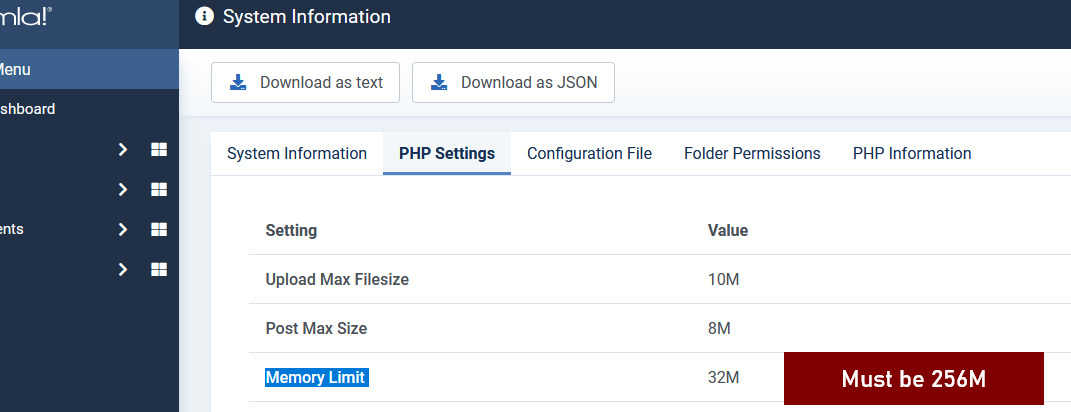
    5. in Hosting cPanel change "Memory Limit" from 32M to 256M

241.jpg

It should be OK after all steps 1-5.

Andy Colley Asked this

This all looks good now.....Thanks for your help

Log in to reply.