Hi,
I have an Addon on a page . Type Article Scroller. Mode "Newsticker"
in PreView it works perfect.
in Firefox Browser it works perfect.
But not on Edge/Chrome and mobile devices.
All Articles are on one page.
What is the reason?
Regards
Hi,
I have an Addon on a page . Type Article Scroller. Mode "Newsticker"
in PreView it works perfect.
in Firefox Browser it works perfect.
But not on Edge/Chrome and mobile devices.
All Articles are on one page.
What is the reason?
Regards
It works until i delete Browser Chache.
Please help.
Hi
Thanks for contacting us. Its a cache issue. Please clear your Joomla and Browser cache then check again.
-Regards.
Both cache is clear.
Problem is still there:
Give me a screenshot of your issue please.
how i can do this?
imgbb is out of order in the moment.
After Edit in Firefox: https://ibb.co/qDgJ9Ph
After clear browser+server cache in Chrome:https://ibb.co/0DfZm6Q
Could you please send your screenshots again? It doesnot show anything.
Once again:
After Edit in Firefox: https://ibb.co/qDgJ9Ph
After clear browser+server cache in Chrome:https://ibb.co/0DfZm6Q
Maybe it has changes something and conflict here. Please keep a backup and recreate this portion again.
I've already done that several times. The same happens with all new modules with "News Ticker".
Please keep a backup and reinstall page builder. Then clear your Joomla and Browser cache and check again.
Made a new installation on my WAMP. Same problem.
Hi. The reason is JCH Optimaze. You should configure this in a more sparing mode or add scripts to exceptions.
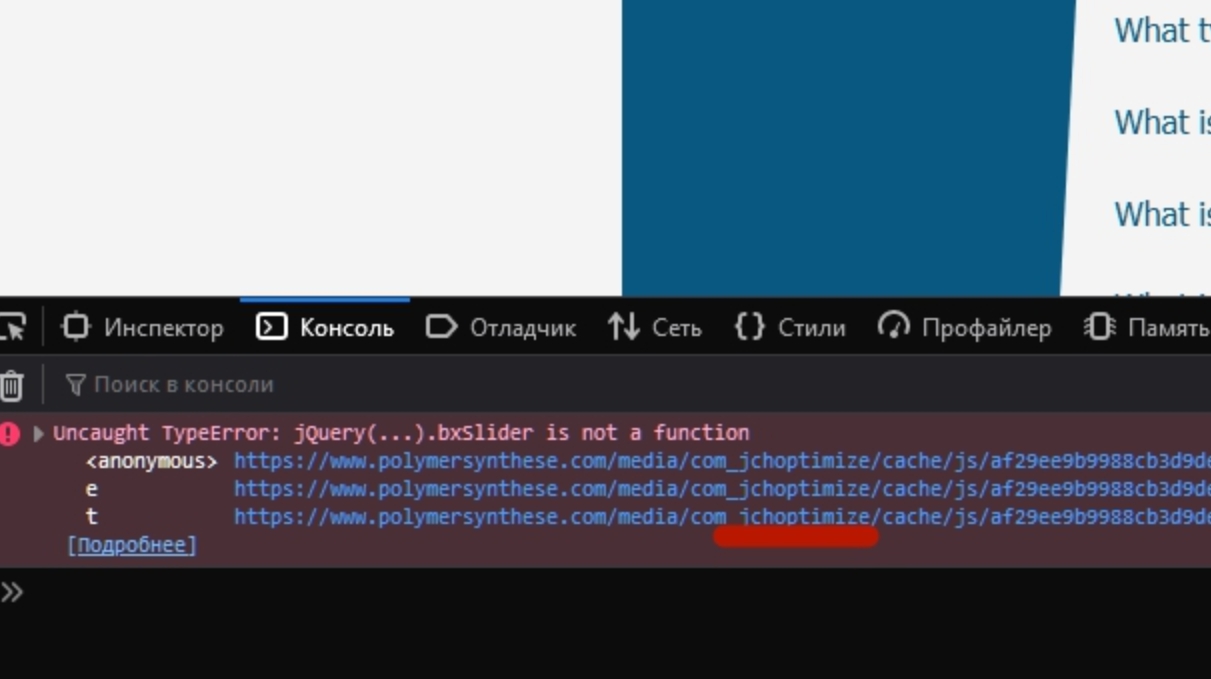
When you edit or develop the website, you should to turn OFF JCH Optimaze and completely clean its cache.
Which Script i have to add to exceptions?
In general, the JCH setting is not an easy task and requires from the user qualification and research of the site and the behavior of all scripts . I can say for a quick glance - add this /components/com_sppagebuilder/assets/js/jquery.bxslider.min.js. But there may be others.
After any changes of JCH settings you should completely clean its cache. If you do not have enough webmaster experience, I would recommend not to use JCH Optimize at all or hire someone to configure it
Found the right setting.
If i disable "Combine Javascript" it works fine.
But then i have poor performance.
Improvement of performance is always a compromise with functionality and design.
yes, thanks
You are wellcome
Please have a look at my other problem: 21840
I wait for aan answer since weeks.
I am not an employee of support. If your question is public, give a full link. I will look and if I can help you, I will do it :)
Hi Klaus
If this post issue is solved then please close this post by accepting the answer.
Thanks.

