Solved Templates

Font color change not working

Asked by Stefan Grabler, MSc 3 years ago Last activity 3 years ago

I treid to change the fontcolor of a section from blue to white. I can do the changes in Pagebuilder and see the changes corectly in edit mode, but in livemode nothing happenend

https://www.g8-hallwang.at/zu-vermieten/21-praxis-202

it depends on all sites from the SP Portfolio

Please help me

best Regards

Steve

Accepted answer

Marked as the solution
Paul Frankowski Senior Staff

Becuase you have enabled "Production Mode" in SPPB Settings, you have to click "Purge Cached CSS" button there after you will make changes in addons settings, or just disable that BEFORE you will start changes in pages.


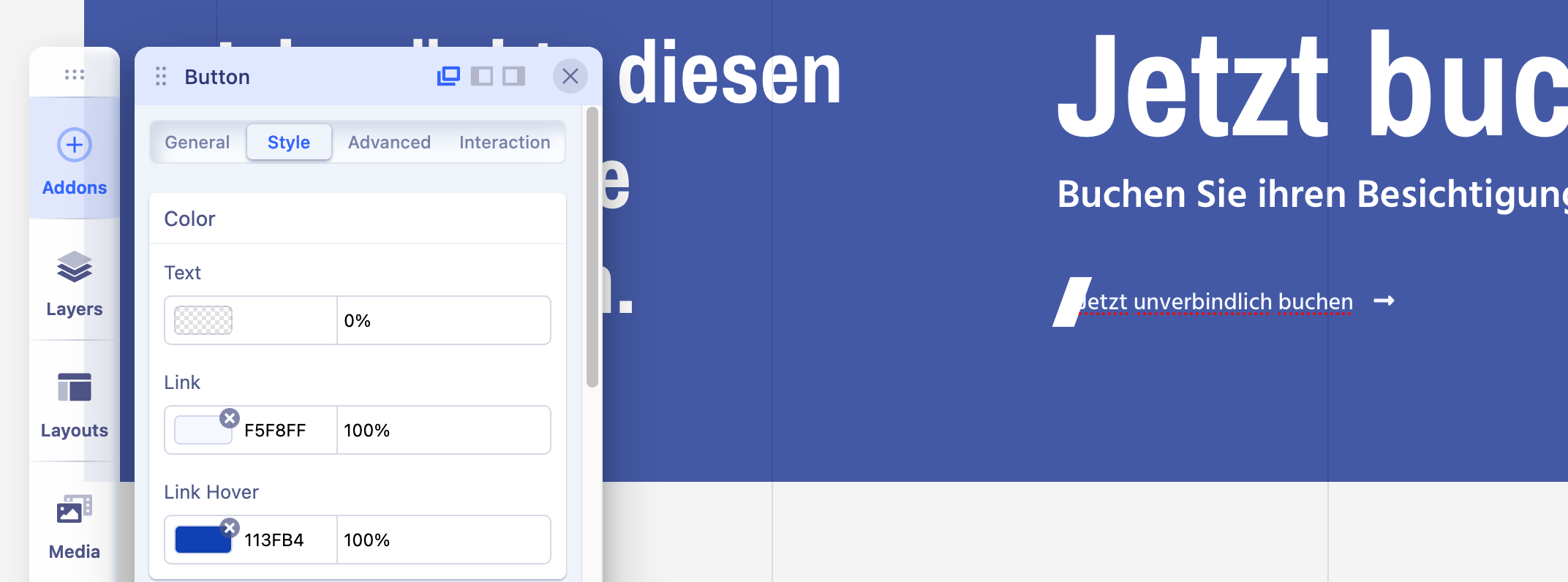
Color in that text you can change here (screenshot), Choose different color for Link & Hover - I set new colors already, but you can correct my choices.

Screenshot 2023-07-22 at 16-10-36 Home.png

5 more replies

Paul Frankowski Senior Staff

Hi Stefan ,

I fixed problem with custom.css, as you could read in different topic.
Now you can use your styles and preview changes in Incognito mode (each browser has it).

Stefan Grabler, MSc Asked this

Hey thanks but the color is set to white as i see in the css file but i did not appear only the lower text "Buchen Sie ihren Besichtigungstermin" and the button is tinted right.

Any solution?

Paul Frankowski Senior Staff

I don't know where you have that area, show me screenshot & link


I made changes for "Aktuell zum Mieten" homepage - preview - all text is write

Paul Frankowski Senior Staff

THanks Steve,

now I see.. Let me correct that color as well.

Log in to reply.