Solved Templates

Footer1 is automatically locked in Nuron.

Asked by nagesh 3 years ago Last activity 3 years ago

Footer1 is automatically locked in Nuron. Your blunt and rude answer was

"It seems that the footer is locked due to the settings of the Raw HTML addon in Nuron. Please check the settings of the addon and make sure it is configured correctly. If you are still having issues, please post your question on our forum for further assistance."

I dont have any addon and also i am unable to switch of Get appointment on TOP.

Accepted answer

Marked as the solution
Paul Frankowski Senior Staff

You're welcome. Please mark topic as solved.

5 more replies

nagesh Asked this

Need help Thanks

nagesh Asked this

Check-out failed with the following error: The user checking out does not match the user who checked out the item..

Paul Frankowski Senior Staff
3 years ago · edited

Hi Nagesh,

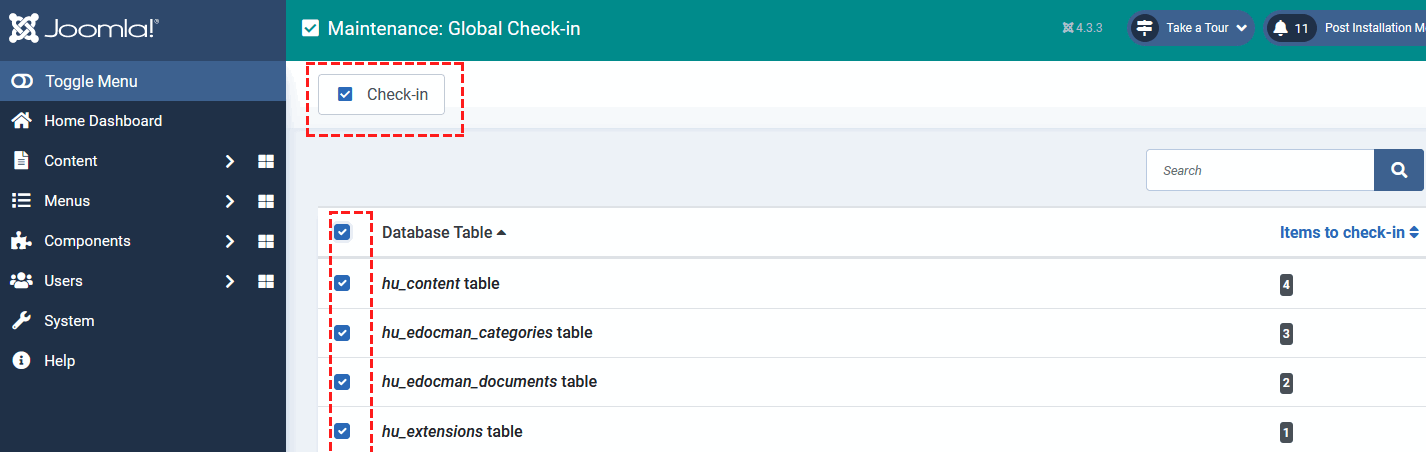
in Joomla (3.x and 4.x) you can unlock all content - it's core feature.
It's called Maintenance > Global Check-in. I did it on your site already.

info_1399_2023.gif

Paul Frankowski Senior Staff
3 years ago · edited

I dont have any addon ....

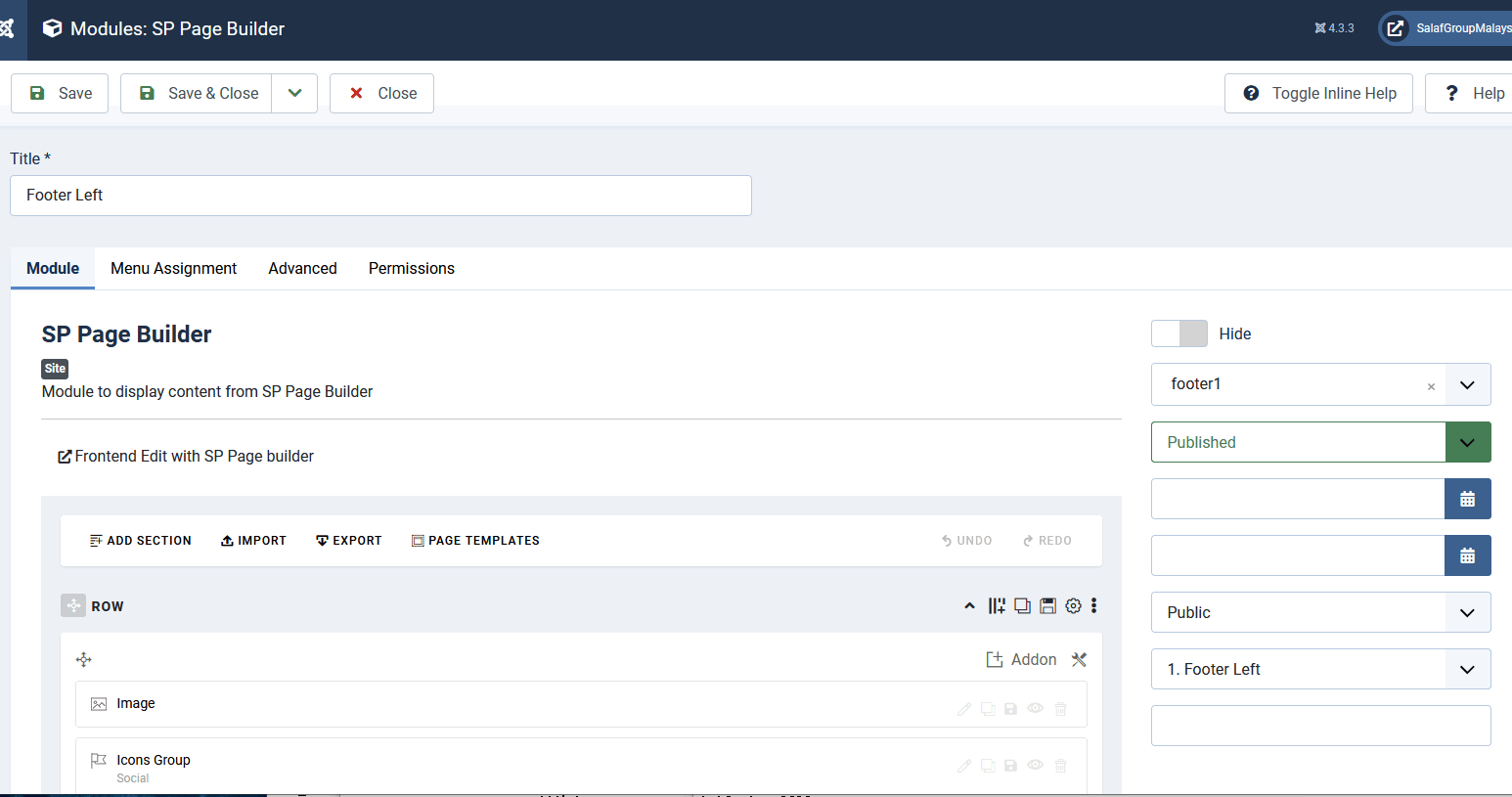
You have but inside module, look

info_1400_2023.gif

So next time in a few seconds unlock all modules, then edit addons inside :)

"Get appointment" button (top-right) is also a SPPB module >> https://www.joomshaper.com/documentation/joomla-templates/nuron/how-to-change


Extra advice about SPPB module in footer1.
Form Builder - is just a form addon, if you need a real newsletter > download & install AcyMaling extension - then use module from it.

nagesh Asked this

Thanks

Log in to reply.