Solved Templates

Magnin Template - Article Full Image problem - URGENT

Asked by Daniel Balazs 3 years ago Last activity 3 years ago

Hey guys!

Please help me! I created 3 articles in my blog and added pictures to the "images and links" settings as an "intro image" and a "full image" but when i click on the article the picture doesnt load in. Only a grey gradient behind the title.

I tried to add a picture to only the "blog media" settings but it didnt solved the problem.

Here is a link for the article:
https://growthfunding.org/index.php/blog-2/education/exploring-the-world-of-launchpads-catalyzing-projects-in-the-crypto-and-nft-landscape

What should i do with that!?
Thx!

Accepted answer

Marked as the solution
Paul Frankowski Senior Staff
3 years ago · edited

It was problem with filename - please do NOT use "( )" in image filenames... CMS & CSS don't like it.

I used that same image, but renamed.

info_1455_2023.gif

1 more reply

Paul Frankowski Senior Staff
3 years ago · edited

Hi Daniel,

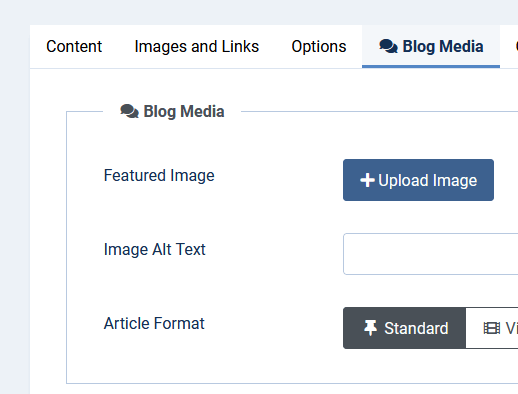
that image in a single article view is loaded only from "Blog Media" tab

b_m.gif

upload image (jpg) here and check if it's displayed in admin area after,

If somehow it doesn't work :

  1. Disable Lazy Loading
  2. Clear Joomla cache
  3. Use different image (type)

In case of.... I need access to website.

Daniel Balazs Asked this

Hey!

Thanks for the quick reply! I tried everything you mentioned but its still not working.

Could you check it?

Thx.
Daniel

Log in to reply.