Staff replied Templates

template cuisine

Asked by caroline.b 3 years ago Last activity 2 years ago

It's the first time I've used templates from Joomshaper and nothing but problems.

  • Logo does not work correctly, is shown twice each time - how to fix that?
  • Off-canvas position doesn't work correctly, I don't get any dashes for the user to click on - how to fix that?
  • {year} or [year] is not working to use in the footer

thanks for any help

17 replies

Yaokoua

Hello,

I have the same problem with the logo...

Thanks for your help

Rashida Rahman Staff

Hi Sach,

Kindly post a new question with the necessary details.

We will help you there.

Best Regards

Rashida Rahman Staff

Hi caroline.b,

Sorry for your experience.

I have just visied your site and a single logo is visible there at my end.

Would you please give me your admin access to check the other issues, please?

Best Regards

Yaokoua

Hi,

I just made a fresh install with the cuisine quickstart package (joomla 4) then i change the logo in the helix 3 back office (i try also with the original cuisine logo) and on the front page the logo is shown 2 times...

Can you try to see the result ?

The solution i find is to replace directly the logo in the template/image folder... that is the not the best solution until the next template update

Thanks

caroline.b Asked this

Indeed, me too I replaced directly the logo in the template/image folder. But that is not a good solution.

caroline.b Asked this

2 questions:

  • problem with my logo
  • off-canvas dashes are not working

syntax for year is resolved

caroline.b Asked this

thanks for having NO support

Rashida Rahman Staff

Hi Caroline,

Please take my sincere apology for the unwanted delay.

I have just visited your given link: https://webdesign-caroline.eu/. I can see you are using a different template there and offcanvas menu is working in the mobile view.

Is there anything I can help you wih now?

Sorry again. Have a nice day!

caroline.b Asked this

We indeed had to choose a different template because we got no support. Waiting more than a week for help is not an option. In the meantime, I selected template jewels and now I notice that the social media buttons on the right of home do not function on smartphones and tablets. Those options don't work in your quickstart either. How can I make it function?

Pavel
2 years ago · edited

Hi.

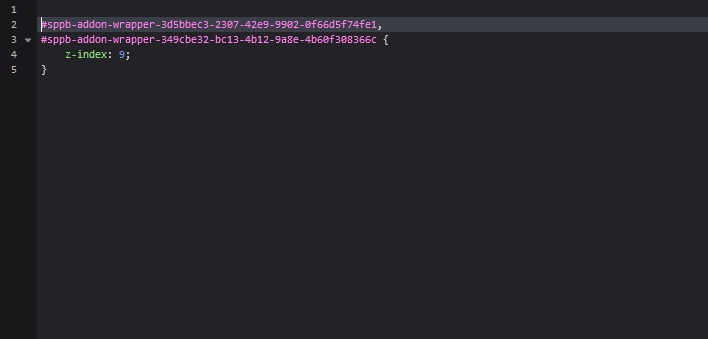
Quick correction via CSS

#sppb-addon-wrapper-3d5bbec3-2307-42e9-9902-0f66d5f74fe1, 
#sppb-addon-wrapper-349cbe32-bc13-4b12-9a8e-4b60f308366c {
    z-index: 9;
}

Nevertheless, this is not a bug on software level, but an incorrectly made layout in the first section on webmaster level.

caroline.b Asked this

I have my section with a row

  • Divider
  • row with: heading - text block and button
  • icons group

can i sent a printscreen?

Pavel
2 years ago · edited

Just use CSS. I checked - a change in order will cause even more problems. To avoid the use of CSS, the layout must be redone differently. I think in the future when you learn to use SPPB, you can do it yourself. But now it will require too many explanations, which is not possible within the framework of the forum.

JoomShaper has a good developer team. But the layout team requires advanced training - they often make erroneous solutions in the provided templates

caroline.b Asked this

I added the code to custom.scss - but no results so far. Cache was cleaned

sppb-addon-wrapper-3d5bbec3-2307-42e9-9902-0f66d5f74fe1,

sppb-addon-wrapper-349cbe32-bc13-4b12-9a8e-4b60f308366c {

z-index: 9;

}

Pavel

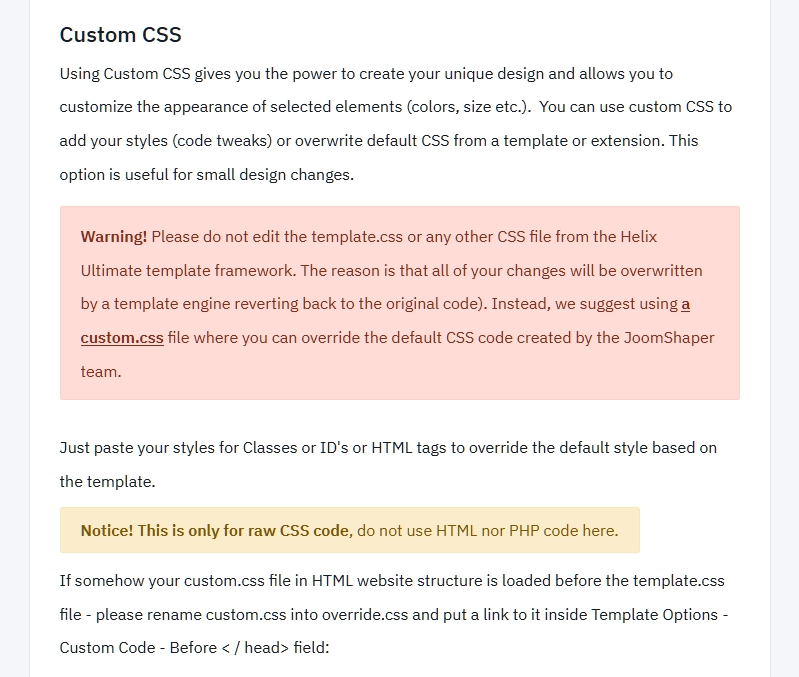
Not to custom.scss but to custom.css

Log in to reply.