Hi Frank,
In PB "Text Block" the click on "System Editor" is not working. Always empty screens.
But it has worked in the past.
Any idea?
Awaiting an answer
SP Page Builder
Text Block | System Editor
20 replies

Paul Frankowski Senior Staff
2 years ago
· edited
Hi Klaus,
- Make sure that you set TinyMCE or JCE as default editor in Global Configuration.
- Test using two different browsers.
On my sites works, but I have SPPB Pro 5.2.4.
Klaus Liedtke Asked this
Hi Paul,
Thanks for quick answer. TinyMCE is default.
Regards
Paul Frankowski Senior Staff
Check point (2)
if will not help, give access.
Klaus Liedtke Asked this
Hi Paul,
Access in the hidden content.
Paul Frankowski Senior Staff
2 years ago
· edited
But it works on your domain, Firefox / TinyMCE
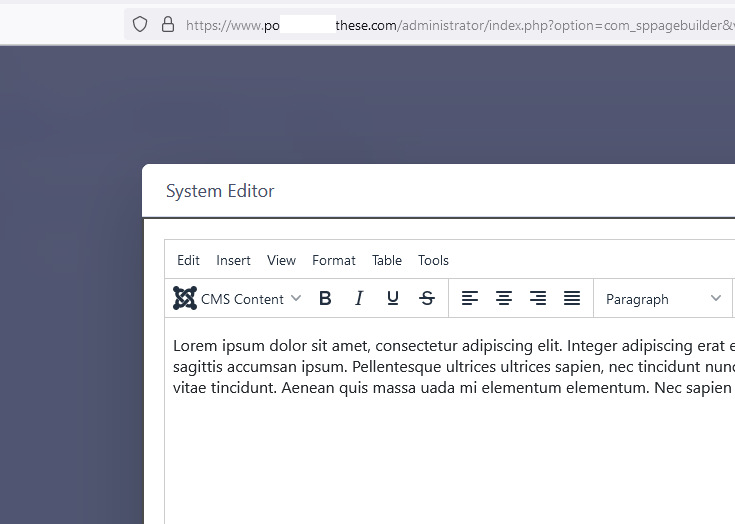
also OK with JCE (back-end)
Klaus Liedtke Asked this
Hi Paul,
Please try with Page "BAGS".
Then Modul "TEXT Block"
And then Click on Icon "System Editor"
Also Firefox, but i tried with Chrome to.
Regards
Paul Frankowski Senior Staff
Also no problem, look
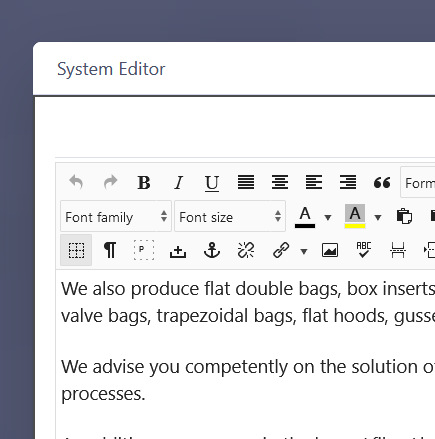
I cannot explain why you don't see editor, I can on your site.
Paul Frankowski Senior Staff
I made a video for you, Sorry I ran out of options.
2nd laptop?
Klaus Liedtke Asked this
Hi Paul,
I use fronted editor.
Same problem on other PC
Paul Frankowski Senior Staff
2 years ago
· edited
I used back-end. So use it as me.
I will talk with developer to check it, I also noticed issue now. I cannot help more today. sorry.
I wish you talk about front-end editor is first post, would be faster.
Klaus Liedtke Asked this
Thanks Paul.
If i need it, i will use the backend-Editor.
Paul Frankowski Senior Staff
Klaus, why you removed testing account?
is OK now or what?
Klaus Liedtke Asked this
sorry, it's activ.
Paul Frankowski Senior Staff
2 years ago
· edited
We made tests on 2 different websites (ours) and is OK, so I assume it's sort of JS conflict on your site probably caused by 3rd part extension, otherwise all users would notice that not only You.
Do you remember what you installed / changed before the problem occurred?
But sure, we will try to think harder.
Klaus Liedtke Asked this
Thanks
Paul Frankowski Senior Staff
2 years ago
· edited
Do you remember what you installed / changed in extra plugins settings before the problem occurred?
Hmm?

Pavel
Hi. Maybe AdBlock or similar Causes the problem?
Klaus Liedtke Asked this
Hi,
Tried with other PC's, different browsers.
Same result.
Regards
Paul Frankowski Senior Staff
Our developer said it must be from extra plugin probably.
Klaus Liedtke Asked this
No idea.
Deactived AIMY Speed.
Same prob.
Regards
Log in to reply.