

How To Add A Bulleted List Text Block In SP Page Builder?
PH
Peter Hunkeler
I seem to habe a senior moment, but I just can't find out how I would add a text block with a bulleted list in SP Page Builder 4. And, same question but for a numbered list.
Regards Peter
Website
https://reitcoach.ch
2 Answers
Order by
Oldest

Paul Frankowski
Accepted AnswerHi Peter,
We don't support SPPB version 4 anymore, since last year.
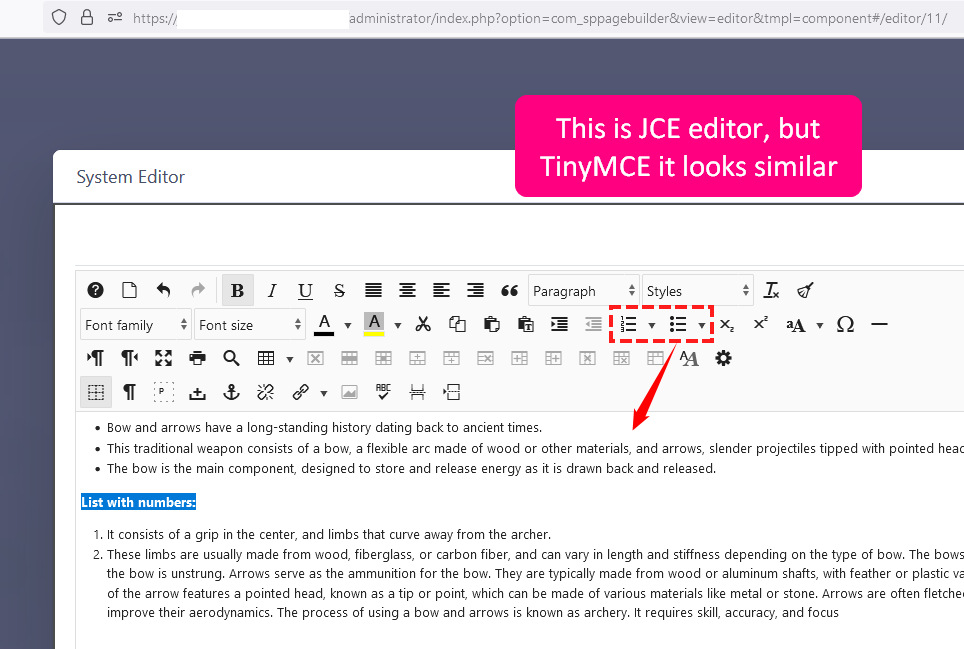
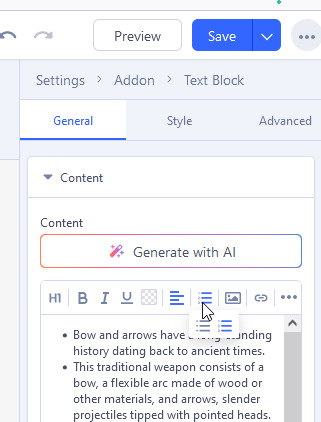
In SPPB 5.2.x in Text addon you have list icon with two styles (dots or numbers), and in System Editor view you can use features from TinyMce or JCE., and that works like in your Windows/Mac Text Editor.
PH
Peter Hunkeler
Accepted AnswerThanks, Paul. The "System Editor" triggered my memory. I have now found it. I knew, I had used it before.
Regarding Support of SP V4: I had bought a one year subscription for V4 in March 2023, and part of that was the license plus support for one year! There was no V5 at that time.
I understand V5 is the follow-on version, but it needs a new license.