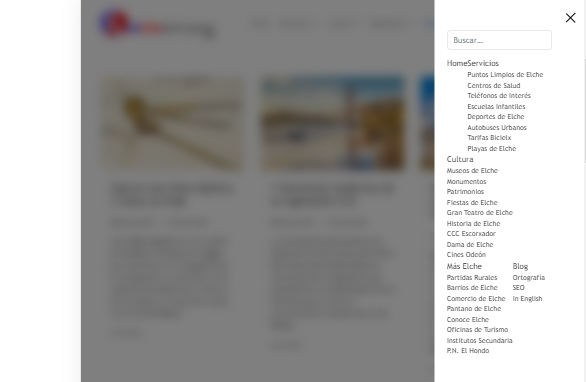
Hello, I'm using the Helix Ultimate template, but the off-canvas menu appears too close, without respecting spaces, and it doesn't allow me to expand menus from other levels. How can I configure it (either through the template or with CSS) to make it appear as in the demos?
Solved
Templates
Menu off-canvas
Accepted answer
Marked as the solution
ALBERTO DÍAZ CALATAYUD Asked this
Hello, thanks for the quick response.
Yes, I have tried changing the module to the off-canvas position of the Helix template, since it was assigned to another one, but it does not save the changes and locks the module.
I give you access to the administration panel. I leave the data in the private area.
Greetings and thank you very much.
7 more replies

Paul Frankowski Senior Staff
2 years ago
· edited
Hi ALBERTO,
Read Helix documenation? https://www.joomshaper.com/documentation/helix-framework/menu-navigation#documentation-heading-3
The Menu module must be published in "offcanvas" position.
If that tip will not help, share access to admin area, I can check what you did wrong.
Paul Frankowski Senior Staff
2 years ago
· edited
Your Joomla has weird problem, is NOT possible to create a new Menu module and assign to offcanvas position.
Every time when I create a new module, is not saved. No changes etc. I also cannot save changes in current Menu module. I am completely unable to operate in such an environment.
Not NORMAL! Server cache or what?
ALBERTO DÍAZ CALATAYUD Asked this
Any suggestions?
Paul Frankowski Senior Staff
2 years ago
· edited
If somehow you can change and SAVE value in that module, you will get Mobile Menu
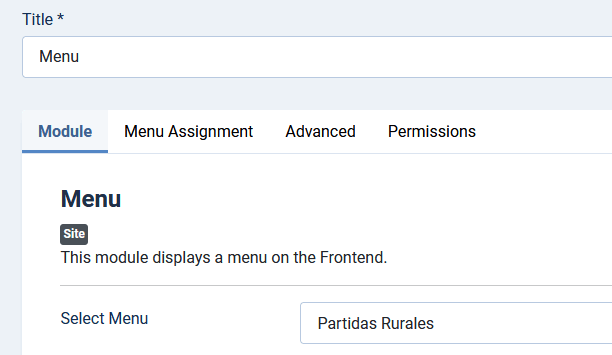
I cannot, I tried for 5 minutes. Sorry I gave up.
Maybe using PHPMyAdmin.... only.
As you see, problem is on different level. With Joomla itself.
ALBERTO DÍAZ CALATAYUD Asked this
I'll try again. I'm also lost, to know what the problem is.
Thank you so much.
Paul Frankowski Senior Staff
Maybe talk with Hosting Support.
ALBERTO DÍAZ CALATAYUD Asked this
I manage the server and I have never had problems with previous versions of Joomla.
Anyway, I'm looking at it, I've upgraded to PHP 8.2, removed smart search, etc.
Nothing for the moment.
ALBERTO DÍAZ CALATAYUD Asked this
Hello, it's already resolved. It was a database error related to the module ID. Thank you very much for your understanding and dedication. Best regards.
Log in to reply.