Another "0 Trim(): Argument #1 ($string) Must Be Of Type String, Array Given"
15 replies

Hello Donna Torr
Please share the error page. On the home page, I have not found the error.
Best regards
Hi Ofi, have you had a chance to look at this yet?
Hi Ofi, I had to disable the Articles Add on within SP Page builder to get the home page to load. I have just re-enabled it.
This is the Home - Default page
Hey guys - i still not received a response to this.
I have checked your issue. You have to add Read More on your articles. For example, this article has Read More. If I select it's category, then it is shown on the site perfectly.
https://prnt.sc/DsKuy0IgpCQ5
This is Page builder error - there is no requirement to add a readmore to a Joomla article - there never has been. There are other posts reporting this same issue: https://www.joomshaper.com/forum/question/34119
On SP Page Builder article, you have to add Read More. Try it and let me know. The other link you have added looks like a separate issue to me.
Hi this is not true - the article addon works fine on the SP BB 3.8.10 with the same articles - please see the bottom of this page:
It has read more if you talking about this section.
https://prnt.sc/3JfaRNXbfKEx
Yes, but I have not changed anything - just downgraded to 3.8.10 - the login credentials are the same if you would like to compare.
I have moved the Articles addon to the top of the home page on https://test.trustvc.org/ so it is easier to view. The Articles addon settings are exactly the same on both sites, the article category selected to show is 'Venture Capital Companies'. See below.
https://ibb.co/4Ws1CCt
https://ibb.co/DKPwpNg
The test site is an exact replica of the live site apart from me uploading and installing SPPB 3.8.10 over the top of SPBB 5.3.6 - I have since updated the live site to 5.3.7 and the issue still persists.
Please take a full site backup with Akeeba Backup in ZIP format and share here. Follow this tutorial. I will check it on my localhost.
Url to backup sent privately - thank you.
Sorry for my previous wrong inspection. The problem is with VC Fields. I have checked that if I turn off these two fields for this article, then the page shows fine. Please check the Fields value. It is customized on your site and we do not provide customization support. I have also checked by changing the template. The same error occurs. So, the template does not have it.
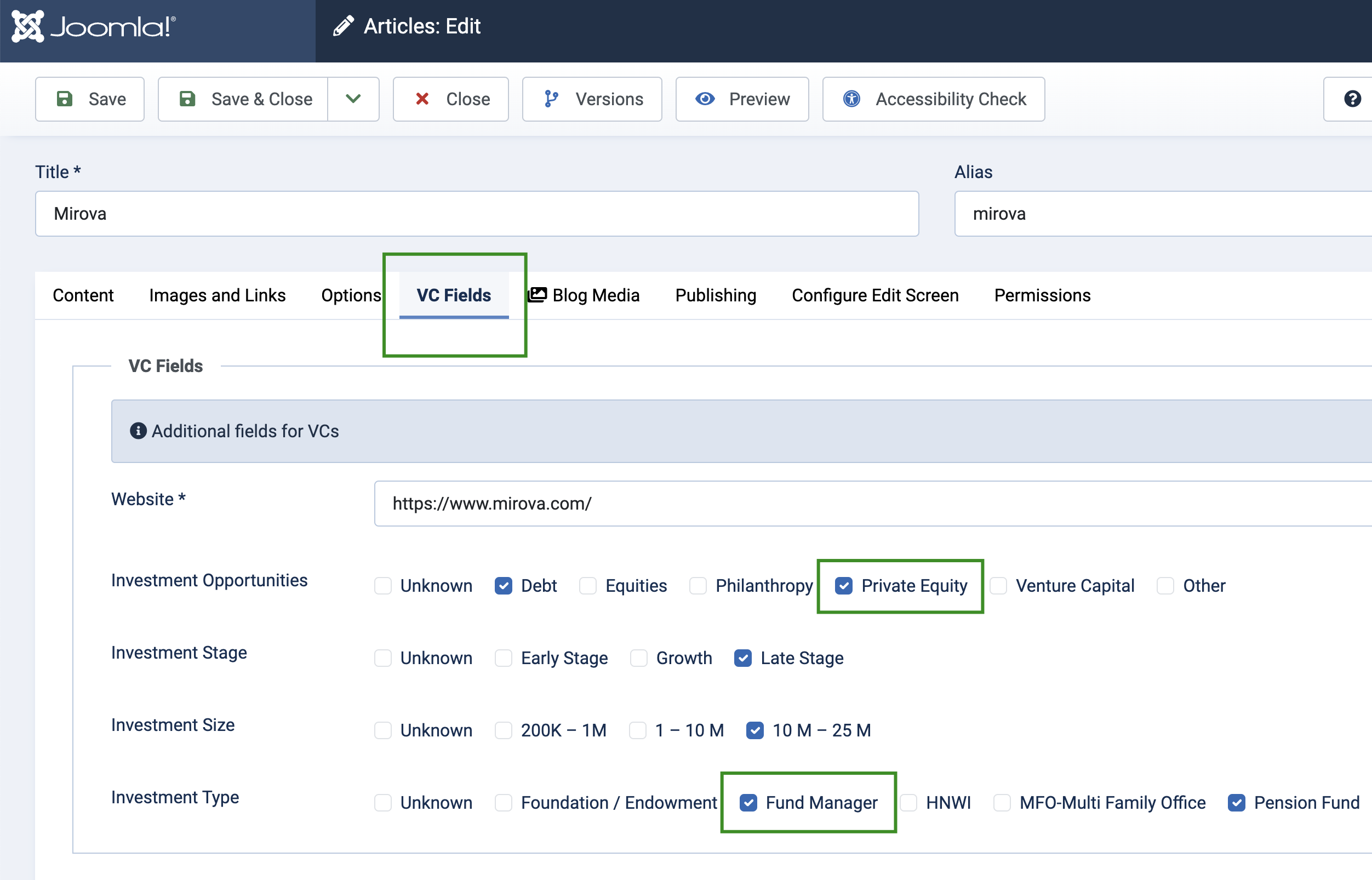
Hi, - this does not explain why it works on SPPB 3.8.0 - what has changed to make this not work in SPPB 5?
Come on now guys - Custome fields are native to Joomla - this is a bug. This has been going on too long now. Can you please escalate this issue to a senior developer.
Apology for the delay. I have shared your issue to the development team and got a fix. I have overriden the Article addon on your template to fix the issue. Please check this file:
templates/investa/sppagebuilder/addons/articles/site.php
The Articles addon will load on the frontend from this file and there will no issues with the custom fields. Please check and let me know if your issue is solved.