

Adding Module To Helix Ultimate Topbar
J
Jesper
Hi, How can I add and module to the helix ultimate topbar position. In the template settings, it is easy to setup phone and email, because there is a pre-defined functions. But if I wand to add and field with an address. how do I do that. I have tried with a module on the position, but it does not show. thanks
13 Answers
Order by
Oldest

Paul Frankowski
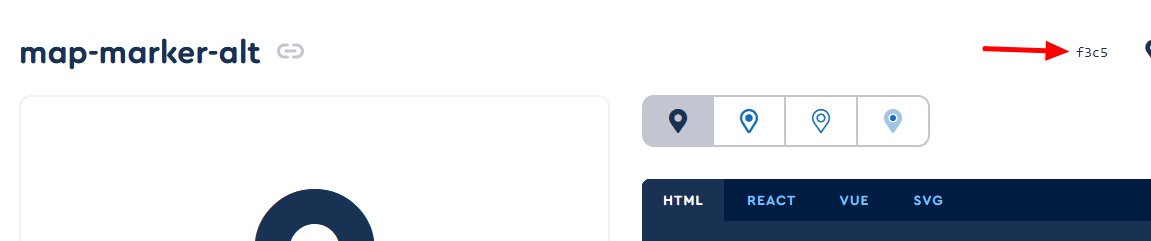
Accepted AnswerYou have to override class name using Icon ID from Font Awesome website.
.sp-contact-phone > span.fa-phone::before { content: "\f3c5"; }

Atick Eashrak Shuvo
Accepted AnswerHi there!
Thank you for bringing this to our attention, and I sincerely apologize for the inconvenience caused.
To assist you more effectively, may I kindly request temporary administrative access to your site? This will allow me to thoroughly investigate and resolve the issue for you.
Before sharing the credentials, I strongly recommend taking a complete backup of your site to ensure all data remains secure.
Looking forward to your response.
Best regards
Paul Frankowski
Accepted AnswerHi Jesper ,
to make it work you have two options:
- Create a Custom Header with custom Top-Bar (quite easy)
- Add that change manually inside header file (harder?)
We have info in Helix documenation > https://www.joomshaper.com/documentation/helix-framework/custom-header
Paul Frankowski
Accepted AnswerBut that's what I'm thinking, after all, you have the ‘Opening hours’ field in Template Options > Basic > Contact Info, type the address in there and just replace the icon from clock to different one or hide it using a single line of Custom CSS:
.sp-contact-time > span.fa-clock {display: none;}
J
Jesper
Accepted AnswerHi Paul I do not know what happened, I had it all in place. but now it is not working. I have this in my custom.css.
.fa-clock:before, .fa-clock-four:before { content: "\f3c5"; }
but it will not change the "opening hours" icon.
I believe it worked, but now it don't
Hope you will help.,
J
Jesper
Accepted AnswerHi Paul. thats a great solution. I want to use the contact info. "Phone" instead, since it is not faced. Would you be able to help with the way to replace the phone icon.
".sp-contact-phone > span.fa-phone {display: none;}" works but how do I insert a new icon. If I find the file and change it will propable be changed back with the next template update. Can I do something in css?
J
Jesper
Accepted AnswerThanks Paul It worked brilliantly. and thanks for directing me to the content code from fontawesome. much appreciated and again thanks for your good support.
Paul Frankowski
Accepted AnswerShare URL, I will look.
Maybe problem is with font-weight or ?? or you disabled Font Awesome.
Yes, we all know that it worked.
Paul Frankowski
Accepted AnswerYou will probably laugh at this, but you forgot that you have two separate templates. And you only gave the CSS code in one custom.css file , not in both. Besides you forgot about " ". And small mistake with double "}". In total 3 mistakes.
You had to be very tired ;]
yes, fixed.