

Problem Article Carousel Page Builder
G
Giacomo
hi i would like to set the article box bigger than now, i would like they use the 100% of the width of the row and increase the height
best regards
16 Answers
Order by
Oldest

Ariba
Accepted AnswerHello
Thank you for the screenshot. I will look into it and share the solution soon. Kindly allow me some time.
Ariba
Accepted AnswerCan you kindly provide me your administrative access. Use the Hidden mode to share the log in credentials.
Ariba
Accepted AnswerHello,
The following custom css have been added to increase height
.sppb-articles-carousel-wrap > .sppb-articles-carousel-column > .sppb-articles-carousel-content {
    height: 235px;
}

.sppb-addon-articles-carousel > .sppb-addon-content > .sppb-row > .bx-wrapper > .bx-viewport {
    height: 450px;
}
If you want to make carousel items larger - select less items (example select 4/5 items for desktop)
And the fluid row option has been enabled to use 100% width
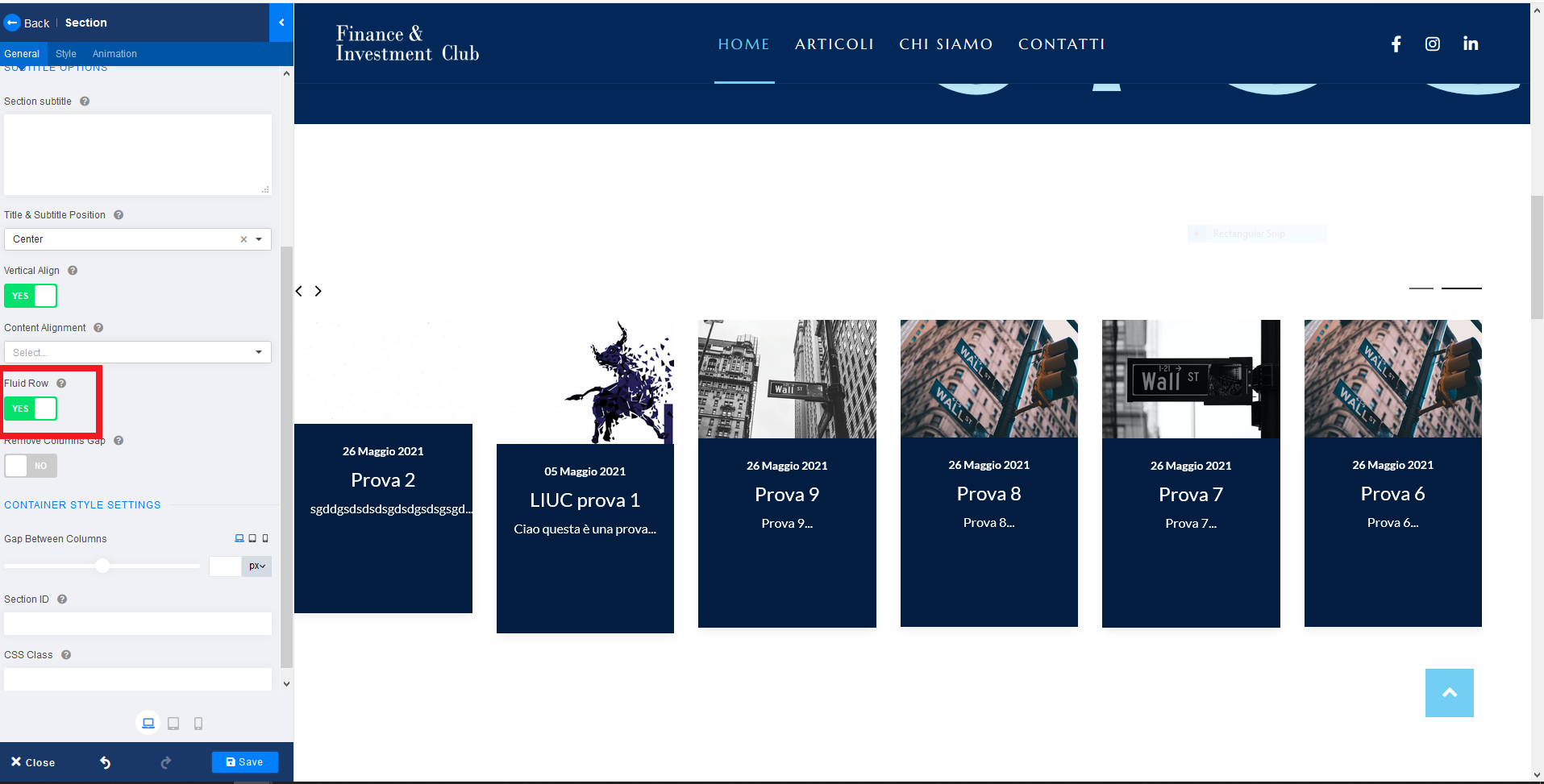
Ariba
Accepted AnswerHello
Please do let me know if the problem has been solved and there are any other issues, i am happy to provide answers. If there is no other problem, kindly accept the response in order to resolve & close the issue :)
Thank you
G
Giacomo
Accepted AnswerHi Ariba, I'm so sorry I have a problem with emails and I lost your answer. This solution is perfect, the final desktop view result is amazing. I have a problem with screen size less than 11 inch.
best regards
Ariba
Accepted AnswerThank you for the kind confirmation.
Kindly accept the response in order to close the issue :)
Ariba
Accepted AnswerSure, i will look into it as well. Could you kindly share a screenshot or details on what problem are you facing in mobile? That will be helpful
G
Giacomo
Accepted Answerthanks Ariba, I have already upload the photos in the hidden content of 3 message ago
best regards
Ariba
Accepted AnswerThank you. Could you kindly check now and let me know if it is alright? I have increased the height of the container for mobile screen.
G
Giacomo
Accepted Answerhi Ariba, now is perfect the only problem is that the writtens PREV and NEXT are overlapped. (you can see that on the prev photos) thanks for all
best regards
Ariba
Accepted AnswerYou are most welcome. Sure, i will look into that issue as well, appreciate your patience & cooperation.