

Modify Date Format In Date Field Of Form Builder
H
H
I am using the Date field in Form Builder.
It is by default using the mm-dd-yyyy format. But I want to use the European format: dd-mm-yyyy.
How can I change this?
4 Answers
Order by
Oldest

Paul Frankowski
Accepted AnswerHi,
I will ask our developer for technical details, and let you know.
Paul Frankowski
Accepted Answeruser can only select their desired date from the date picker. The format will be automatically converted to mm-dd-yyyy as of our internal system
But notice that, if somebody use the European browser (like Me), I see dd-mm-yyyy in that date field during filling up the form.
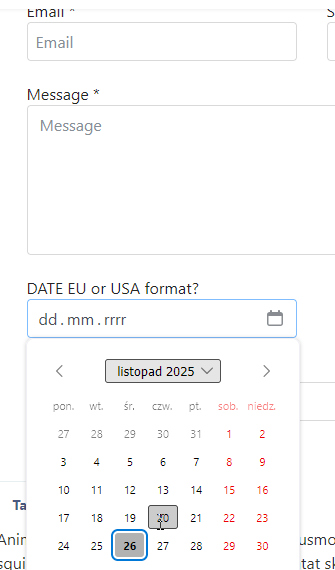
H
H
Accepted AnswerHello Paul,
You are right. I always set my browser to "English" and apparantly it then also adopts teh English or American dat format.
But the dat format in the email that FromBuilder sends, is still in the American date format. Even when the date format is European in the form. Can I change that?
Because it is confusing when I receive an RFQ emai from my contact form that says teh the event is on 1926-12-5. Is that December 5ht? Or May 12th? I want it to say clearly 5-May-2026.