
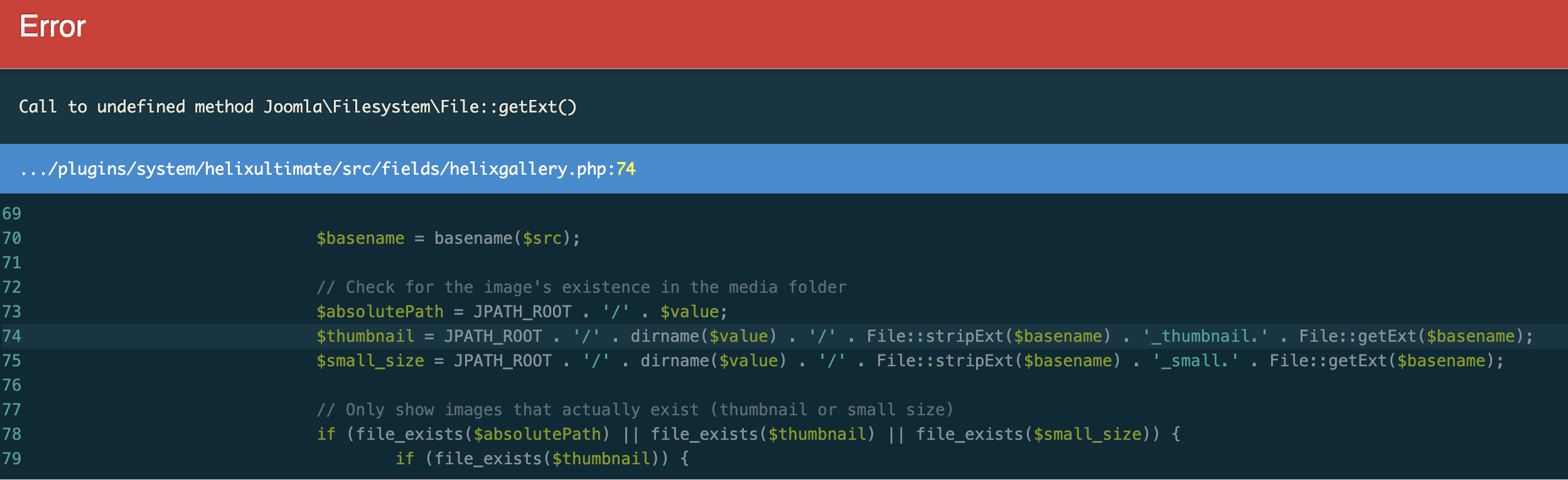
After update SPP to version 6 - I can't open article -instead I see "Call to undefined method Joomla\Filesystem\File::getExt()"

Awaiting an answer
SP Page Builder
Call to undefined method Joomla\Filesystem\File::getExt()
Asked by Andrzej Wachałowicz
11 months ago
Last activity 10 months ago
11 replies

Toufiq Senior Staff
Hi there,
Thank you for reaching out. To check the issue from our end, please create a staging site and share its login credentials with us. Make sure you provide only the staging site details, not the live site access. This is important because if any issue occurs while we’re working, it will affect only the staging site, not the live one. We want to maintain full transparency between the user and our support team.
Best regards,
Toufiqur Rahman (Team Lead, Support)
Andrzej Wachałowicz Asked this
nd share its login credentials with us.
It's - as always - stupid idea.
I don't want You fix for the problem - I want to fix the problem by myself, and after that I and others users of the forum will educate how to do it and they will be able to fix this. So don't ask for credentials, but give to everybody tips how to proceed with this issue.
Toufiq Senior Staff
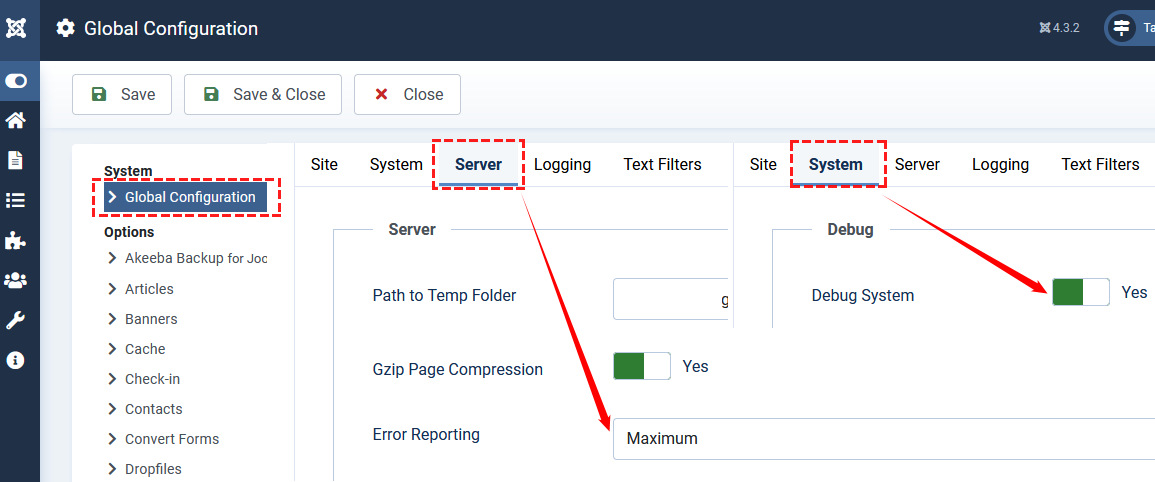
- Enable the debug mode and error reporting from the global configuration settings
- Make sure that your PHP error reporting is enabled.
- Then share a screenshot.

Paul Frankowski Senior Staff
11 months ago
· edited
If I may...
Lee Tempest
Has anyone had a solution ot this problem as I am now getting the same issue!
Paul Frankowski Senior Staff
10 months ago
· edited
@Lee, Have you used Gallery type in "Blog Media" (tab) - if yes, this could cause that problem. It's feature that almost nobody use. Just switch to Standard (default) and recheck view.
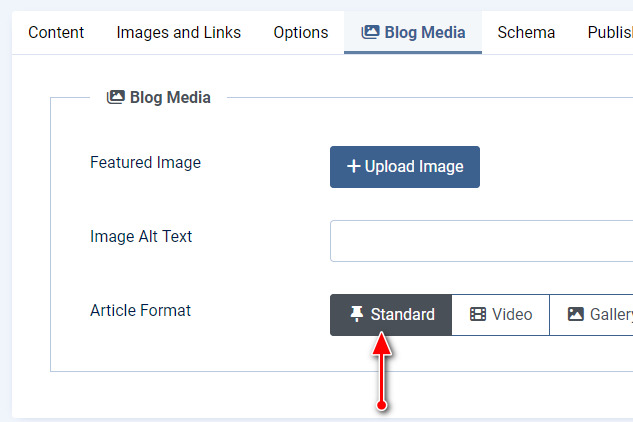
and if you want to have Gallery in article use different method (!) more UX for viewers.

associazione
Call to undefined method Joomla\Filesystem\File::getExt()
Buonasera, purtroppo ho aggiornato alla versione 2.2.0 e mi compare questo errore...come posso risolverlo. Non ho capito dove aprire il suggerimento che ha dato Paul Frankowski. Grazie per il vostro aiuto!
Lee Tempest
10 months ago
· edited
Paul,
Thanks for the reply, I cannot even open the article to check, the error appears before the article is displayed.
associazione
Call to undefined method Joomla\Filesystem\File::getExt()
Buonasera, purtroppo ho aggiornato alla versione 2.2.0 e mi compare questo errore...come posso risolverlo.
Non ho capito dove aprire il suggerimento che ha dato Paul Frankowski.
Grazie per il vostro aiuto!
Paul Frankowski Senior Staff
10 months ago
· edited
@associazione - we are not in Italy (!) ONLY ENGLISH please or I will answer you in my language as you did.
@Lee, In Joomla Admin you can enable that. It should give you even more details. Question: You have that error only in single article or in more?
associazione
Good morning,
How can I solve my problem? The solution you suggested, unfortunately, doesn't work. It gives me other error messages. Thank you very much.
associazione
sorry, you're right. I was thinking of an automatic language translator. the error appears when i open the website page linked to the "simple portfolio". i tried following your suggestion, but i get many other errors on the homepage.
luc vande reyde
Hi there, I have the same problem after updating. Can you share the fix?
associazione
Hi, since I haven't received any specific support, I decided to activate last week's backup. Things are back to normal, but I won't update to the new version because it's causing a lot of problems.
luc vande reyde
Thank you associazione. Shame there is no support for this issue. I know it's free but still.
Best regards and wishes!
Lee Tempest
Paul,
Picking random articles it only seems to appear on that one article. When I enable all the reporting I get 20+errors.
Paul Frankowski Senior Staff
@Less, In that case you have to create a new Article, and copy content of "broken" article to it.
And fully delete old article, this time choose single Image (default) from Blog Options. And recheck. Should help.
Log in to reply.