

Some Of Menu Icons Disappear
A
Ali
Hello I dont know why all icones just disappear Its working only in home page (start page)
Website
http://study-technique.com/
8 Answers
Order by
Oldest

Muntasir Sakib
Accepted AnswerHello there,
Would you mind sharing a screenshot as we haven't found any problem at our end.
Thanks!

Toufiq
Accepted AnswerHi there,
Thanks for contacting us. Sorry for the inconvenience. Will you please share a screenshot about your icon issue and provide me the Joomla administrator access to check the issue. I will check & get back to you soon.
-Thanks

Ofi Khan
Accepted AnswerHello Ali
Please share a screenshot of your issue to understand it better.
Best regards

Paul Frankowski
Accepted AnswerHi, about what icons we are talking about? I saw those also on subpages
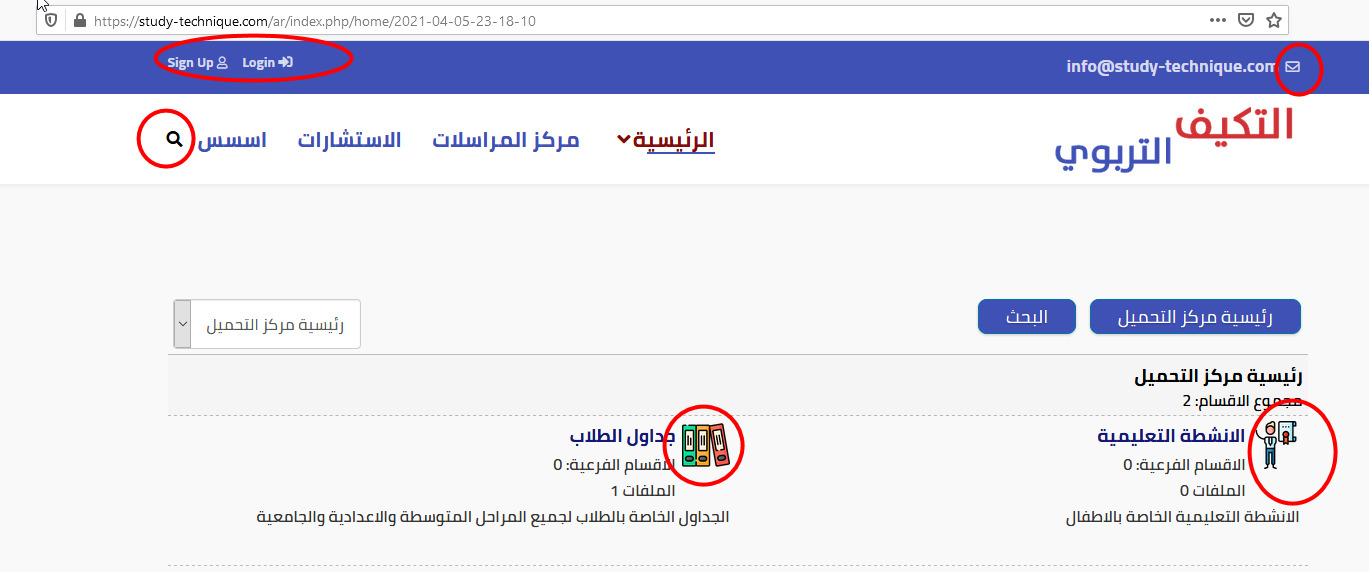
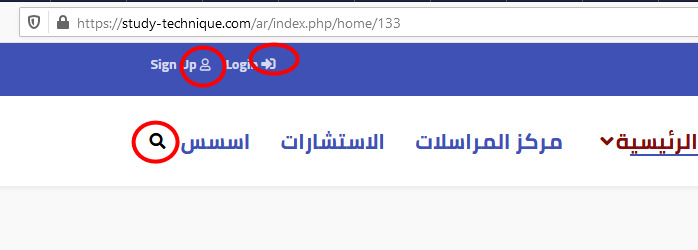
A
Ali
Accepted AnswerHello Yes , its working now but its wrong, I put @import "font-awesome-5.min.css"; @import "font-awesome-v4-shims.css"; in
https://study-technique.com/ar/templates/shaper_educon/css/font-awesome.min.css
If I delete these files, the problem will return..
Ofi Khan
Accepted AnswerIf you do not want to use the import option, then use this CSS to Template Options -> Custom Code -> Custom CSS
.fa{
    font-family: "Font Awesome 5 Free" !important;
    font-weight: 900 !important;
}
A
Ali
Accepted AnswerI will try today after my work.. What i can see is somthing wrong with fonts v4 and v5 in style samt css in sp page builder.. what I did is, put these two files copied from sp page builder and put in font-awesome.min.css as @import, maybe its ok..
Now, I see the new template files does not included these files.. and Ican not upgrade the template becuse I did so many changes im my template..
The question is if I can install an new fresh joomla start , and import style settings from old one to the new one to solve the problem totaly..