

Off Canvas Menu Won't Display As Per Settings, Or Change, In Desktop View
P
paul
hi - In desktop view, the off canvas menu won't display the set settings, which tablet & mobile views do behave as desired ( green bg, requested font etc ).
Desktop view refuses to change ( bg & fonts ). What am I doing wrong or not seeing ? May be related to the toggler menu question I just posted ( ie appears twice ( one right, one left ) in tablet ). Landscape tablet is also not behaving. Both of those have the toggler menu on the right. The toggler / burger menu is on the left in mobile & portrait tablet ( which is the sublect matter in a another question I just posted - ie double displays of the toggler ), but behaves as it should. ( green background / right fonts etc )
The off canvas menu background & fonts should be the same green as seen in the OCM background in mobile & tablet views. Currently displaying white bg.
J5.4.2 - SP Pagebuilder Pro - Helix Ultimate 2.2.4
Website
https://bluesgreenmate.au/
14 Answers
Order by
Oldest

Paul Frankowski
Accepted AnswerHi Paul.
It's because the custom style is used only in mobile view, and on Desktop view, the modal menu is used, not the real mobile menu. Probably you saw that it looks differently than on mobile view, right?
No worries, I added missing CSS style. It was sort of cusomization from my side.
After all, personally I would prefer to have normal menu on Dekstop view. But it's your site, your choices.
P
paul
Accepted AnswerI would also prefer to have a normal menu in desktop but none of the predefined menu layouts allow me to do that without the last navigation item overlapping sections of the body.
By the way, what did you change ? added custom code ?
In the template editor it still displays two togglers in tablet view btw.
How do I attach an image ( screenshot ) ? The image inserter just gives me a url request.
Paul Frankowski
Accepted Answer- yes, all my changes you will find inside custom.css file, as we teach in Helix documenation.
- upload screenshot on your site, and just share link to image.
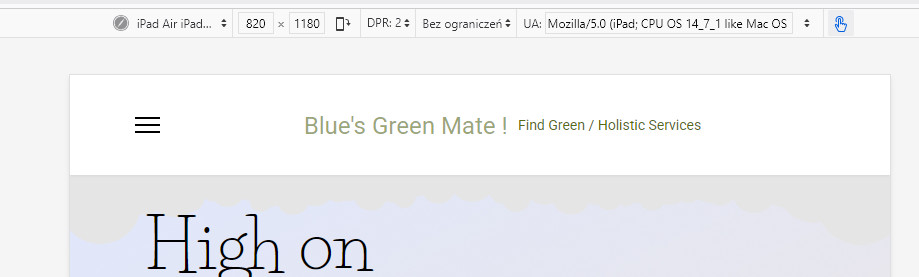
- what Tablet screen-size ?
Paul Frankowski
Accepted AnswerI saw that you created spearate topic about [=] ... asking two people about the same...ohhh
P
paul
Accepted Answerok. It was suggested I use Lightshot, which I did, but the images go nowhere, as far as I can tell. Do I need to sign up ? Then I saw I might need to disable avast security or others. WTF ? seems more complicated than it should be....
Btw, can I modify the position of the search / toggler that you moved ? custom css / tag ?
P
paul
Accepted AnswerNo, separate topics - one was two togglers, the other was off canvas menu settings ( bg colours / fonts etc ). I figured you guys prefer it that way.
I mentioned the other one as I thought the problem may be related.
This main question was about why the off canvas menu settings ( background / fonts etc ) won't follow settings )
Paul Frankowski
Accepted Answer- and where is LINK to image?
- yes, appearce of modal menu must be changed by Custom CSS.
For example, that is used by default
#modal-menu .modal-menu-inner > .container {
  display: flex;
  padding: 70px 0;
  align-items: center;
  height: 100%;
}
Remember, that we cannot help with all customizations. Also becuase this is free template.
P
paul
Accepted AnswerFree template yes, but not a free support license, which includes all the templates, no ?
I haven't done any web design work for more than 5 or 6 years I think. Until recent months. I've forgotten a lot, and a lot of the terminology. It'll take me some time to get back into it.
P
paul
Accepted AnswerI haven't been able to get lightshot to successfully upload. I get no success message. Investigating.
Paul Frankowski
Accepted AnswerUse Joomla Media Manager or FTP tool to upload .jpg file, then just share url, example: my-domain.com/images/example.jpg
Yes, so simple!!! :)))