

Download Elements
DA
Dina Abramson
In the Newsberg quick install, there are two elements that are not in PB in the Helix template The are Articles Layout and Aticles Thumb Slider. Can they be downloaded separately or is it only availble to a Joomla 6 installation?
12 Answers
Order by
Oldest

Paul Frankowski
Accepted AnswerCheck if you have that folder with two addons folders inside: templates\newsberg\sppagebuilder\addons
- \articles_layout
- \articles_thumb_slider
If NOT, please take them from quickstart, just use FTP to upload

Mehtaz Afsana Borsha
Accepted AnswerHi,
Thanks for contacting us.
The Articles Layout and Articles Thumb Slider elements you see in the Newsberg quickstart are custom SP Page Builder addons included specifically with the Newsberg template package. They are not part of the default SP Page Builder addons.
These addons are installed automatically when you use the Newsberg quickstart package, so they are not available as separate downloads. Also, they are not related to Joomla 6 specifically.
If you need to use them, you would typically need to install the Newsberg template or its quickstart package, which includes those custom addons.
Regards.
Paul Frankowski
Accepted AnswerHi Dina,
those are custom addons built for that template only. In theory you can use it for other template, but it's a little bit complicated process.
Mehtaz Afsana Borsha
Accepted AnswerHi Dina,
Yes, Paul is right. If you dont have any other question, you can then close this post by accepting the answer.
DA
Dina Abramson
Accepted AnswerYou said "If you need to use them, you would typically need to install the Newsberg template or its quickstart package, which includes those custom addons."
I installed the template on https://tomkenyon.ca/, a site that is Jommla 5.4.3, but the element does not appear when I search for "Article"
DA
Dina Abramson
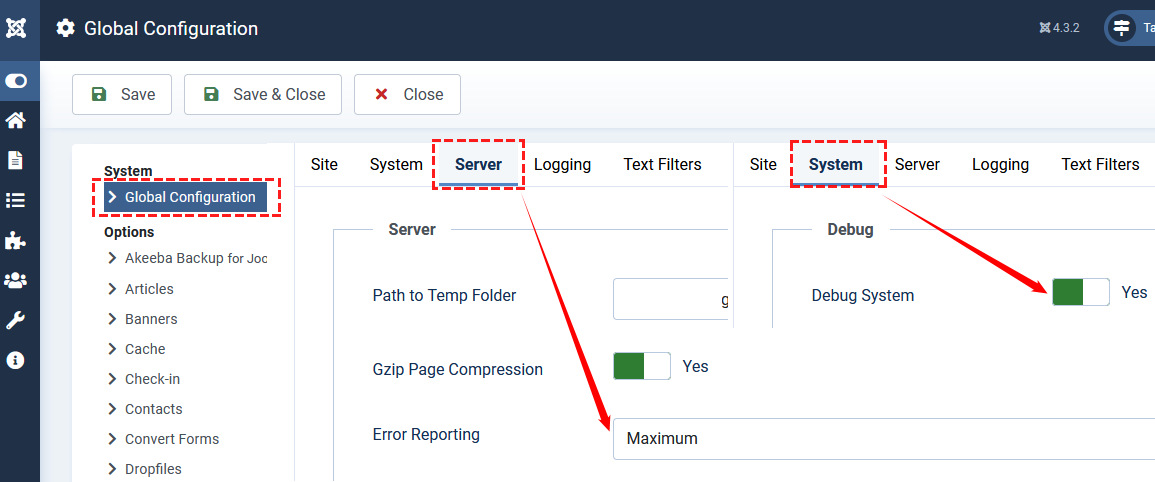
Accepted AnswerSorry to have to come back to you, but I have added the addons and can create what I want, but I get this error when I try to open an article from the frontend element at https://tomkenyon.ca/
500 icon::print_popup not found.
I looked at https://www.joomshaper.com/forum/question/10628 but it doesn't seem to be the same issue
DA
Dina Abramson
Accepted AnswerWarning: Undefined property: stdClass::$featured_image in /home/tomkenyo/public_html/templates/newsberg/sppagebuilder/addons/articles_thumb_slider/site.php on line 108
DA
Dina Abramson
Accepted Answer$output .= '<div class="swiper-slide" style="background-image: url('/ . Uri::base() . $item->featured_image . ');">';