

Template Agentik Issues
AB
Alberto Bonello
In the agentik template, the logo changes color to black when the page scrolls. In the website, it stays black throughout. Also, the bottom gradient has a lot of space in the bottom footer, making it look wrong on mobile.
12 Answers
Order by
Oldest

Paul Frankowski
Accepted AnswerHi Alberto,
About logo , use that Custom CSS
#sp-header.header-sticky #sp-logo .logo-image {filter: none;}
Added already
Paul Frankowski
Accepted AnswerAbout Bottom Padding, it's from Module and Section setting ...
you had empty FAQ section, which you forgot to disable, right? I disabled it and now is OK.
Both problems solved.
AB
Alberto Bonello
Accepted AnswerPaul,
Thank you for the quick response. I appreciate it.
I reviewed the site and a few issues are still unresolved.
Menu behavior From the start, the menu has not matched the demo. I need it to behave exactly like the demo version: • Transparent background at the top • Logo switches to black on scroll when it becomes sticky
The current fix removed the visual look but did not restore the intended behavior.
Hamburger menu The hamburger menu is now transparent and not visible. That needs to be restored.
Gradient section I removed the FAQ section but wanted to reuse the gradient style in another section. I could not locate where that gradient is defined.
Footer I want to use the demo footer with: • Social media icons • Newsletter subscription section
I could not find where to update the social links or change the icons. Without that, I cannot use that footer. The documentation does not cover this.
365 page scrolling section I updated the text under the services section, but the scrolling functionality stopped working. I was not able to find guidance on how to restore it.
If you can point me to the exact documentation or settings for these items,
Paul Frankowski
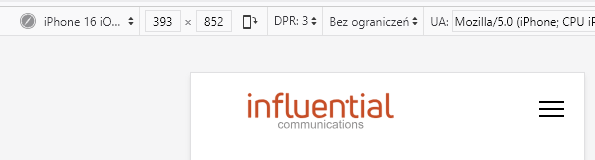
Accepted AnswerMobile menu [=] is visible now, I set #000 color for lines. Clear browser cache to see changes.
Paul Frankowski
Accepted AnswerFooter I want to use the demo footer with: • Social media icons • Newsletter subscription section
You have to create a module with content that you need and publish it. It can be published on "footer1"
you have also a disabled module for "footer2" position, check what is inside. Maybe what you need.
Paul Frankowski
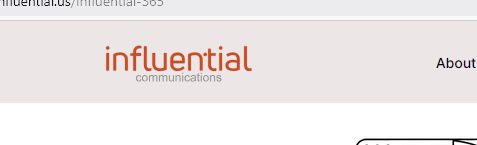
Accepted AnswerLogo switches to black on scroll when it becomes sticky
But in first post you said that you don't want that??!!!
and on home page you have transpared header.
So I don't understand that request part.
AB
Alberto Bonello
Accepted Answerthat must be the first one first it was missing the translucent grey background do you know the dark gray so when it scroll down, it was confusing to see the menu items because there was no bad semi transparent background so that was a problem and then when I reported they gave me that code and they changed the menu to that also that problem was that the hamburger menu was transparent so no one can see that on the mobile version and the other issue is that I really just want the menu to look at exactly like the demo version, but he never did. It was missing the background and also the hamburger was missing. Thank you.
Paul Frankowski
Accepted AnswerAbout "Gradient section I removed the FAQ section but wanted to reuse the gradient style in another section."
It was done by Row settings. As you know (or not yet) you can set background as solid color, image and gradient. It means that you can use any color you want. I can create you a short video how to set gradient, if you fail during your checkings.
Paul Frankowski
Accepted AnswerIn demo version header background after scroll down is white, you have "pink". But it was your choice. You added extra CSS for that.
[=] is visible for last 20 min.
AB
Alberto Bonello
Accepted AnswerHello, Sorry, but that code was sent to me by a previous staff member to fix the menu. It was missing the semi-transparent background from the beginning. I need the menu to work and look exactly like your demo version. I've tried asking for help, but I can't get it to do that. Can you please fix that? The burger menu is transparent and can't be seen. The menu never worked the way it did under the demo after installation. I'd appreciate it if you could address this issue. For future reference, it would be helpful if the website documentation included all the settings for each section of the SP Page Maker. That way, users can reference each section and module's numbers and settings without needing to submit support requests. That would be really helpful for the community. Thank you for your work. I appreciate it.
AB
Alberto Bonello
Accepted AnswerHello, Sorry, but that code was sent to me by a previous staff member to fix the menu. It was missing the semi-transparent background from the beginning. I need the menu to work and look exactly like your demo version. I've tried asking for help, but I can't get it to do that. Can you please fix that? The burger menu is transparent and can't be seen. The menu never worked the way it did under the demo after installation. I'd appreciate it if you could address this issue. For future reference, it would be helpful if the website documentation included all the settings for each section of the SP Page Maker. That way, users can reference each section and module's numbers and settings without needing to submit support requests. That would be really helpful for the community. Thank you for your work. I appreciate it.