Hello, I have a font issue.
I have all the requesited files but when I try to add one this file (.otf format), in the SPPage Builder Font book, I have this message... Invalid file type.
Any clue ?
Regards
D
Hello, I have a font issue.
I have all the requesited files but when I try to add one this file (.otf format), in the SPPage Builder Font book, I have this message... Invalid file type.
Any clue ?
Regards
D
Hi there!
Sorry for your experience.
Did you check the following documentation already, please?
https://www.joomshaper.com/documentation/sp-page-builder/font-book
Best regards,
Ok I see, thank you,
But do you have another URL than https://transfonter.org. I did it one time, it worked, then I tried others then... when I uploaded... 500 error and Request failed with status code 500... On my server, I have no limit problem and MOD SECURITY is disabled.
Any clue ?
Thanks
D
Hi,
Thanks for getting back to me.
However, would you please give me a screencast illustrating the whole scenario? It will help us to understand it better and assist you accordingly.
Best regards,
Hello, OK Icreated you credentials in the hidden content box
You can try Martin solution >> https://extensions.joomla.org/extension/od-local-fonts/
just to compare if it works on your website. It works in similar way as Font Book, and fonts are visibile in SPPB.
Error500 in most cases means problems with server settings.
Thank you ! I'm currently checking all this. But there was another question in the hidden content box...
Ok, i tested it I installed the fonts but want to add these fonts in the SPPage Builder Font Book.
How can I do that ?
Thanks a lot, Paul! :)
Just a small note:
ODLF integration in SPPB is not fully implemented yet. This will be included in version 1.4.0 within the next weeks.
Regarding the SPPB Font Book:
This is not required when using ODLF, since fonts are managed centrally within the extension.
Once uploaded, the fonts are available in the settings dropdowns of Helix Ultimate and in the page settings of SPPB.
Please bear with me a little longer regarding the ODLF + SPPB integration 😉
OD Local Fonts 1.4.0 is LIVE - New: SP Page Builder integration. ;)
OK thank you. But there is still on question not answered. Could you please see it ine the Hidden Content box last question of the message).
Thanks
D
The support team can handle that, since I can't see the hidden content. ;)
I pasted it already previously, so i do it again, please see the hidden box. The question is the last on at the bottom of the message... Thank you
Ad 2) About extra bar. To move positions, you have to create a Custom Header. One for Top1 and 2nd classic one, a header. All details in Helix Ultimate documenation >> https://www.joomshaper.com/documentation/helix-framework/custom-header
ad 1) About Fonts, indeed there is a Error500, but when I tried to install single font style on my own site all was OK, so something is blocking from your server the upload behavior. It's not a SPPB issue, but server settings problem otherwise I wouldn't be able to install font on two different my hosting account during my today tests. Please ask hosting support what can be a reason.
And yes, you forgot to read that part of documenation
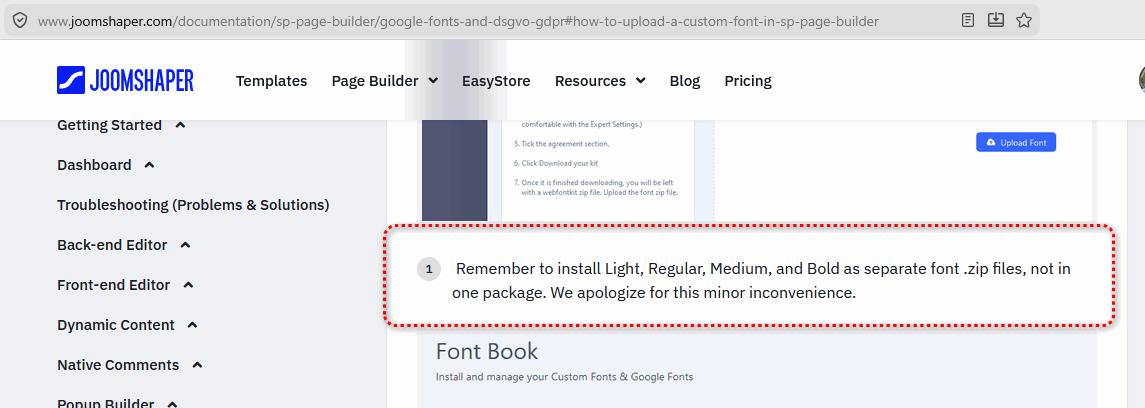
It means that each font style much be installed separetly, like Medium, Regular etc.
brandon-medium.zip
In case of - just keep OD Local Fonts extension and use fonts uploaded by this tool. SOrry, but I don't have idea what can cause that problem.
Tested on a third server: Font uploads via SPPB Fontbook work without any issues with WOFF2 files. ;)
In other words: as Paul says, check with your hosting provider. :)
Can you share a screenshot of the 500 error (including browser dev console if possible)?
OK thank you for your everything. I'm currently checking all this. Thanks... D