Hi JoomShaper Team,
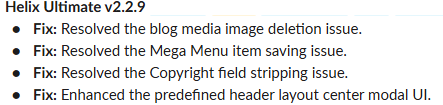
I am running into a bug when trying to delete an uploaded image from the Blog Options > Blog Media tab inside a Joomla article.
When I click the trash can icon to remove the image, the UI throws this warning:
"Are you sure you want to delete? Confirming will permanently delete the selected item(s)! Unable to remove image. Please try again."
I did some troubleshooting via the browser console and server logs, and here is exactly what is happening under the hood so your team can patch it:
The Technical Issue:
When the "Remove" button is clicked, blog-options.js fires an AJAX POST request to:
administrator/index.php?option=com_ajax&helix=ultimate&request=task&action=remove-blog-image
This request immediately returns a 500 Internal Server Error, crashing the background script.
Because the standard PHP error_log doesn't catch a fatal crash trace for this, the 500 error is likely being caused by one of two things in the Joomla 5 environment:
Joomla 5 API Incompatibility: The HelixUltimate\Framework\Platform\Blog::remove_image() method may be relying on a deprecated Joomla 4 class (like JFile or JFolder) that has been removed in Joomla 5, causing a silent fatal failure when trying to execute the deletion.
WAF / ModSecurity Trigger: Because the AJAX payload passes a direct file path string (src=images/...) combined with an action: "remove" command, it is highly likely that standard server Web Application Firewalls are intercepting the request as a malicious file-deletion attempt.
Environment:
Joomla 5 (Latest)
Helix Ultimate Framework / System Plugin (Latest)
PHP 8.3
Could your development team please test the remove-blog-image AJAX routine in a strict Joomla 5 / PHP 8.3 environment? It likely requires a small code adjustment to how the file path is sanitized/passed or how the file deletion is executed natively to prevent the 500 crash.
Thank you!